


Need Mac Repair for a Cracked or Damaged Screen?
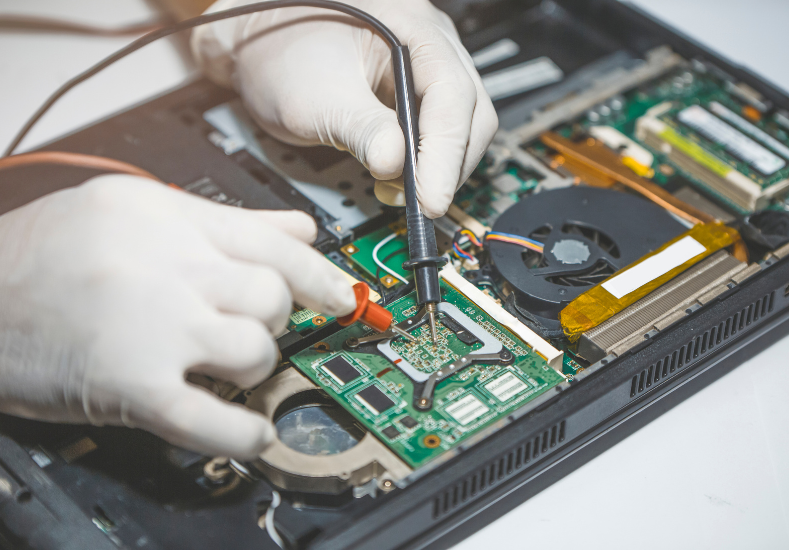
A cracked or damaged MacBook screen has a way of turning your whole day upside down. Maybe it slipped off the couch, got caught in a bag with something heavy on top of it, or took a knock while travelling. Whatever the cause, the moment you see that spiderweb of cracks or a section of the display that's gone black, the panic sets in. The good news is that a cracked screen, while frustrating, is one of the most repairable issues a MacBook can face, and understanding what's actually happening inside the display can help you make smarter decisions about fixing it.
What a Cracked Screen Actually Means
MacBook displays are made up of several layers, including the glass, the LCD or OLED panel itself, and a backlight. Depending on how the damage occurred, you might be dealing with only the outer glass, or the damage may have reached the actual display panel underneath. A cracked outer layer with the screen still displaying an image normally is a very different repair to a screen showing black patches, coloured lines, or no image at all, since the latter usually means the panel itself needs replacing rather than just the glass.
Common Causes of Screen Damage
Drops are the obvious one, but they're far from the only cause. Closing the lid with something small, like a pen, coin, or earbuds, left on the keyboard is one of the most common ways MacBook screens crack, since the pressure from the closed lid presses that object directly into the display. Excessive pressure from a tightly packed bag, sitting on a laptop by accident, or even placing heavy books on top of a closed MacBook can all cause similar internal cracking that isn't visible until the lid is opened again. Homeowners and professionals looking into Mac Repairs Bonbeach often come in with exactly this story, a small object left on the keyboard overnight resulting in a crack they didn't discover until the next morning.
Signs You're Dealing With Panel Damage, Not Just Glass
If your screen still shows a full, clear image despite visible cracks on the surface, you're likely only dealing with cosmetic glass damage, which is a more straightforward repair. However, if you're noticing dark blotches that spread when you press gently on the lid, flickering that lines up with the location of the crack, or portions of the screen showing no image at all, the LCD or OLED panel itself has likely been damaged and will need full replacement. Colour distortion, unusual lines running vertically or horizontally, or a dimming effect isolated to one part of the screen are also strong indicators that the damage goes beyond the surface glass.
Why DIY Screen Repair Is Risky
There's no shortage of guides online showing how to replace a MacBook screen yourself, and while it's technically possible, it comes with real risk. Modern MacBook displays are assembled as a single sealed unit in most models, meaning the glass and panel typically can't be separated and replaced independently, unlike older repairable designs. Attempting a DIY replacement without the right tools can damage the surrounding chassis, disconnect delicate ribbon cables, or void any remaining warranty. Sourcing a genuine, correctly calibrated replacement panel is also difficult outside of proper repair channels, and a mismatched or low-quality part can leave you with colour inaccuracies or a shorter lifespan for the new screen.
A Recent Customer Experience
★★★★★ Google Review — Michael Ferraro, Bonbeach VIC
"I closed my MacBook lid without realising my daughter had left a small toy on the keyboard, and by the time I noticed, half the screen had a crack running straight across it with a black patch spreading from the centre. I was dreading the cost of a full replacement from Apple directly, so I looked around locally and found Same Day Mac Repairs. They quoted me a genuine price over the phone before I even brought it in, which I appreciated, and had the new screen fitted the same day I dropped it off. The colour and brightness matched perfectly, you honestly wouldn't know it wasn't the original panel. It's been running perfectly for months now with zero issues. Friendly service, no upselling, and they clearly knew what they were doing. Would absolutely use them again if anything else goes wrong."
What to Expect From a Professional Repair
A proper screen replacement starts with a diagnostic to confirm whether it's a full panel swap or a more contained fix, followed by careful disassembly to avoid damaging the surrounding keyboard, trackpad, or internal cabling. Quality replacement panels should match your original screen's resolution, brightness, and colour accuracy closely enough that you won't notice a difference in daily use. Turnaround time is usually a matter of hours rather than days when the correct part is in stock, which matters a lot if your MacBook is central to work or study.
Protecting Your Screen Going Forward
Once your screen is repaired, a few small habits go a long way in preventing a repeat. Always double-check your keyboard is completely clear before closing the lid, use a padded sleeve inside your bag rather than relying on the bag itself for protection, and avoid stacking anything on top of a closed laptop. A cheap screen protector can also add a layer of resistance against minor scratches and light impacts, buying you a bit of extra peace of mind for day-to-day use.
Conclusion
A cracked or damaged MacBook screen can feel like a major setback, but in most cases it's a well-understood, highly repairable problem rather than something that needs to send your laptop into early retirement. The key is getting an accurate diagnosis early, since the difference between a glass-only crack and full panel damage significantly affects both cost and repair time. Rather than risking a DIY attempt or paying premium pricing elsewhere, a trusted local repair service can get you a genuine-quality replacement fitted quickly and correctly. Same Day Mac Repairs offers fast, transparent screen repairs so you can get your MacBook looking and working like new again without the stress or the wait.

 English
 Arabic
 French
 Spanish
 Portuguese
 Deutsch
 Turkish
 Dutch
Dutch
 Italiano
 Romaian
 Portuguese (Brazil)
 Greek
Greek
 Bengali