


What Are the Technical Requirements for Using Android Auto in a Mercedes-Benz?
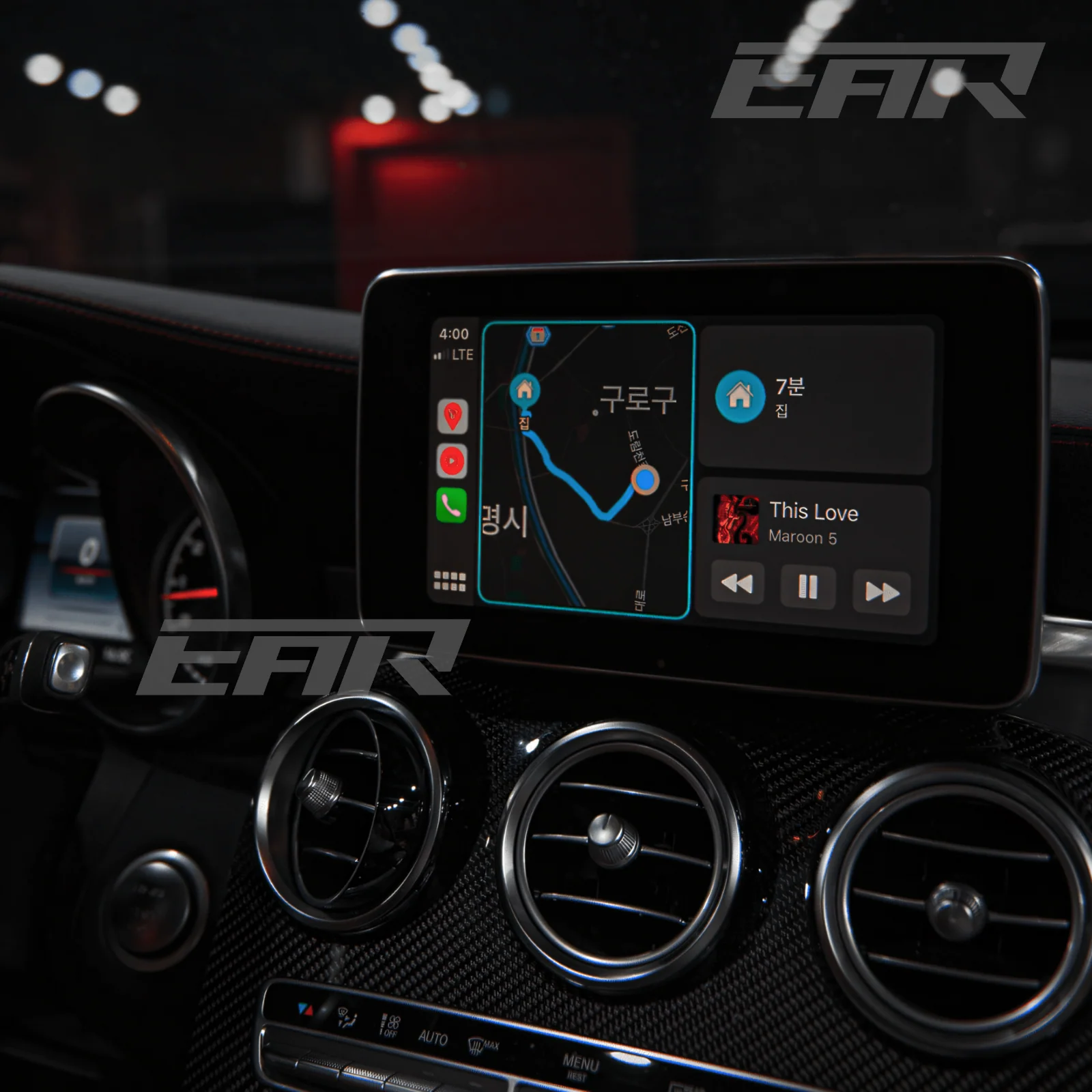
Android Auto transforms your Mercedes-Benz into a smarter driving experience by bringing your Android phone's apps, navigation, and music directly to your car's display. For Australian Mercedes owners looking to add this functionality, understanding the specific system requirements is essential before making any upgrades or connections.
Phone Requirements for Android Auto
Your Android smartphone must meet minimum specifications to work with Android Auto in your Mercedes. The baseline requirement is Android 9.0 (Pie) or higher for wired connections. If you want to use wireless Android Auto, your phone needs Android 11.0 or higher with 5 GHz Wi-Fi support. Android Auto is integrated into your phone automatically, so you do not need to download a separate app. However, Android Auto isn't available on devices running Android (Go edition), which is a common limitation for budget phones.
Mercedes-Benz Infotainment System Requirements
Your Mercedes must have a compatible infotainment system to support Android Auto. The Mercedes-Benz User Experience (MBUX) system, introduced in 2018, is the primary platform that supports this functionality. For wireless Android Auto specifically, you need the second-generation MBUX system available in 2020+ models. Mercedes-Benz supports Android Auto in vehicles from 2018 onwards, though not all models with factory-infit CarPlay or Android Auto are included in upgrade programs.
Connection Type Options
Mercedes-Benz offers two connection methods for Android Auto:
Wired Connection:
-
Android phone with Android 9.0 or higher
-
High-quality USB cable
-
Compatible Mercedes infotainment system
-
USB port in the centre console
Wireless Connection:
-
Android phone with Android 11.0 or higher
-
5 GHz Wi-Fi support on your phone
-
MBUX 2nd gen (2020+) infotainment system
-
Bluetooth and Wi-Fi enabled on your phone
Wireless projection works only on the latest Mercedes-Benz models. Older Mercedes models support Android Auto but require a wired USB connection instead.
Vehicle Compatibility in Australia
Most Mercedes-Benz models from 2018 onwards are compatible with Android Auto in Australia. This includes the A-Class, B-Class, C-Class, E-Class, S-Class, GLA, GLB, GLC, and GLE ranges. However, older models with the black theme interface and newer models with only MBUX touchscreen digital dash without proper software may not be compatible. GLS Class W166 models with NTG5.1 systems also have compatibility limitations.
Setting Up Android Auto in Your Mercedes
For wired connection, locate the USB port in your centre console, connect your Android smartphone with a USB cord, accept the Terms and Conditions, and click "Start Automatically" in your car's multimedia menu. Your smartphone is now connected to the Mercedes-Benz Android Auto system.
For wireless connection, accept Terms and Conditions, activate Bluetooth on your phone, go to Settings Device Connections Bluetooth Devices on your MBUX display, pair your phone via Bluetooth, and enable Android Auto for wireless connection when prompted.
Important Installation Notes
The first Android Auto activation must be carried out when the car is stationary for safety reasons. Use a genuine or high-speed USB cable for stable wired connections. Keep your Android Auto and Google Play Services updated for optimal performance. Most features won work if you use Android Auto outside supported countries, though Australia is fully supported.
Mercedes Me is available in 45 countries including Australia, New Zealand, and Thailand. Your car must be connected to Mercedes Me and have a working internet connection to use the in-car purchase option for Android Auto via the Mercedes Me Store.
Professional Upgrade Solutions for Australian Mercedes Owners
If your Mercedes does not come with factory Android Auto or you have an older model, professional upgrade solutions can add this functionality. These upgrades are carefully sourced and tested for compatibility with Australian models, backed by local warranty and full support from Australian workshops. The Mercedes Android Auto upgrade ensures your vehicle meets all system requirements while maintaining the premium quality your Mercedes deserves.
For Australian drivers seeking reliable Mercedes Android Auto installation with local warranty support, Nevera Auto offers professional upgrade solutions specifically tested for Australian Mercedes models. Their workshop provides complete compatibility testing, local warranty coverage, and expert installation that maintains your vehicle's premium standards while adding modern smartphone connectivity.
Frequently Asked Questions on Android Auto in Mercedes Benz
1. Can I use Android Auto in my older Mercedes-Benz model before 2018?
Most Mercedes-Benz models before 2018 do not support Android Auto with their factory infotainment systems. However, professional upgrade solutions can add Android Auto functionality to older models. These upgrades require compatible hardware installation and are tested specifically for Australian Mercedes models to ensure proper operation.
2. What is the difference between wired and wireless Android Auto in Mercedes-Benz?
Wired Android Auto requires connecting your Android phone via USB cable and works with Android 9.0 or higher on any compatible MBUX system. Wireless Android Auto requires Android 11.0 or higher with 5 GHz Wi-Fi support and only works on Mercedes models with MBUX 2nd gen (2020+). Wireless offers convenience without cables, but wired provides more stable connectivity for older models.
3. Does Android Auto work on all Android phones in Mercedes-Benz?
Android Auto does not work on devices running Android (Go edition), which is a common limitation for budget phones. Your phone must have Android 9.0 or higher for wired connections or Android 11.0 or higher for wireless connections. Additionally, your phone needs updated Google Play Services and the Android Auto app must be integrated into your system automatically.
4. Will adding Android Auto affect my Mercedes-Benz warranty in Australia?
Factory-installed Android Auto does not affect your Mercedes-Benz warranty. For professional upgrade solutions added to older models, consult your Mercedes dealer about warranty implications. Many Australian upgrade providers, including Nevera Auto, offer their own local warranty on the upgrade hardware and installation, providing protection separate from your vehicle's manufacturer warranty.

 English
 Arabic
 French
 Spanish
 Portuguese
 Deutsch
 Turkish
 Dutch
Dutch
 Russian
 Romaian
 Portuguese (Brazil)
 Greek
Greek
 Bengali