


From Registers to Real-Time: A Practical Guide to Smart School Administration for Indian Schools
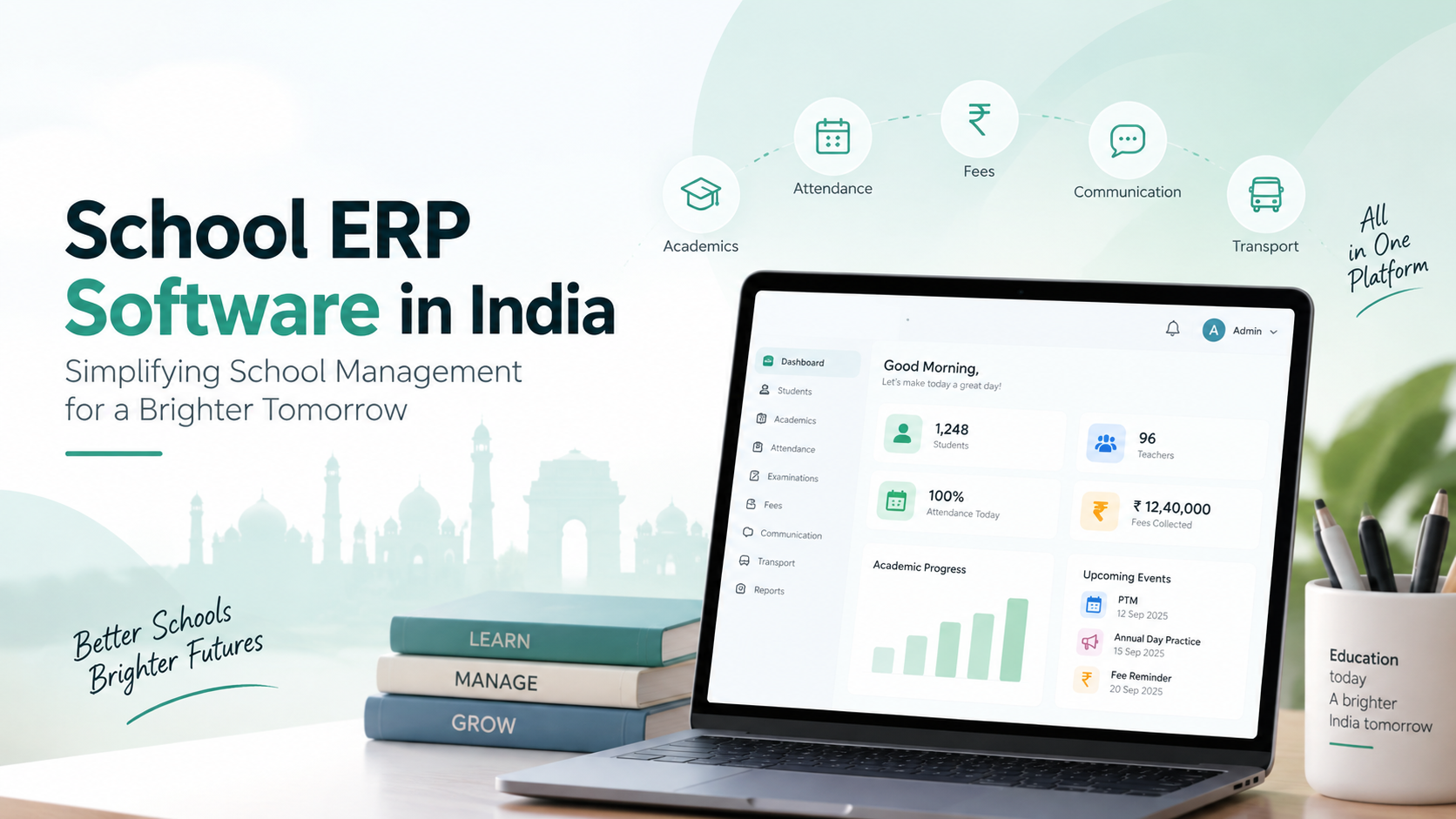
Ask any school principal what eats up most of their week, and teaching rarely tops the list. It’s the admissions paperwork. The attendance registers. The fee follow-ups, the exam reports, the bus routes, and the steady stream of parents calling the office with the same five questions.
None of this work is optional. But when it lives in registers, spreadsheets and three different apps that don’t talk to each other, it quietly drains hours from your staff every single day.
And the bigger your school gets, the worse it becomes. A school with 800 students can’t keep attendance accurate on paper without someone losing sleep over it. A trust running four branches has no easy way to compare fee collections across campuses. Meanwhile, your teachers, the people you actually hired to teach, spend their evenings updating records.
That’s why so many schools are rethinking how they run things. Picking the Best School ERP Software isn’t about buying another app. It’s about finding a system that fits how your school works today and where it’s headed tomorrow. Let’s walk through what that actually looks like.
1. Why Indian Schools Are Going Digital (And Why Now)
Parents today expect answers quickly. Teachers need records they can trust. Principals need numbers they can act on. Paper-based systems struggle to deliver any of these.
Picture this: a parent calls to ask about her son’s attendance for the last two months. On a paper register, someone has to dig out the right pages, count by hand, and call her back. With a digital system, the same answer takes seconds, and if the school has a parent app, she may not need to call at all.
Here’s what going digital can realistically do for your school:
-
Cut down the repetitive admin work that clogs up your office.
-
Keep student information organised in one place.
-
Help teachers and admin staff stay on the same page.
-
Make fee tracking and reconciliation far less painful.
-
Get updates to parents faster.
-
Give leadership a clear picture of what’s working and what isn’t.
One honest caveat: software alone won’t fix a messy process. If your current workflow is confusing, putting it on a screen just gives you a confusing digital workflow. The real win comes when you pair the right tool with clear processes, proper training and sensible access controls.
2. What Makes School ERP Software Worth It?
School ERP Software (ERP stands for Enterprise Resource Planning) connects your school’s moving parts into a single system: admissions, attendance, fees, exams, staff records and communication.
Without it, every department keeps its own records. Admissions has a spreadsheet. Accounts have another. Teachers keep marks in their own files. Sooner or later, the numbers stop matching, and someone wastes an afternoon figuring out why.
The capabilities that matter most
-
Admissions: Track enquiries, applications, documents and enrolment status without chasing paper files. Our admission management module is built around exactly this.
-
Student records: One central profile for each student, accessible to the right people.
-
Attendance: Whether your teachers mark attendance manually or you use biometric devices, the system should fit your process, not force a new one. See how online attendance management works.
-
Fees: Fee structures, receipts, outstanding balances and automated reminders.
-
Exams: Marks entry, grading and report card generation without the end-of-term scramble.
-
Timetables: Class schedules and teacher allocations without the clashes.
-
Parent communication: Notices, reminders and student updates sent through the channels parents actually use.
-
Reports: Clear dashboards on attendance, admissions, fees and academics.
You don’t need every module on day one. A small school might start with admissions, attendance and fees. A larger group might need multi-campus reporting and detailed user permissions. Buy for your real needs, not for the length of a brochure.
3. How to Find the Best School ERP Software in India for Your School
Indian schools come in every shape: preschools, CBSE and state board schools, international schools, large trusts. What counts as the Best School ERP Software in India for one school might be completely wrong for another.
Here’s how to make a smart choice.
Start with your problems, not the features
Make a list of what’s frustrating your team right now. Fee follow-ups taking forever? Parents constantly calling about attendance? No way to compare branches? Rank these by how much they hurt. That list becomes your buying checklist.
Think about where you’ll be in five years
If you have 300 students today and plan to open a second campus, make sure the software can grow with you. Ask vendors to show you how multi-campus reporting and permissions work. Don’t settle for a “yes, we can do that” over the phone.
Test it with real users
A system packed with features is useless if your staff find it confusing. During the demo, hand the controls to a teacher, your accountant and an admin staffer. Let them try marking attendance, checking fee records and pulling a report. Their reactions will tell you more than any sales pitch.
Look at the full cost, not just the sticker price
Ask about onboarding, data migration, training, extra users, support, upgrades and add-on modules. Ask about renewal terms. Ask how you’d export your data if you ever switched providers. A cheap first-year price can turn expensive by year three.
Check the support before you need it
Problems don’t wait for convenient moments. They tend to show up during admissions season or exam week. Find out what support channels are available, what the response times are, and whether you can speak to a school similar to yours that already uses the product.
4. School Management Software: Making Daily Operations Run Smoothly
School Management Software handles the everyday running of your institution. Some platforms cover a few tasks; others connect everything. What matters is whether it supports how your school actually works day to day.
Take a student who joins mid-year. Admissions records their details. Accounts set up the right fee plan. The class teacher needs their information. The transport coordinator adds them to a bus route. Without a connected system, that’s the same information typed in four times by four different people, with four chances to get it wrong. With connected school management software, one record serves everyone who needs it.
Who benefits, and how
-
Administrators get a central place to review records, track pending tasks and run reports.
-
Teachers spend less time on attendance and marks entry, and more time teaching.
-
Accounts teams reconcile fees faster and with fewer errors.
-
Parents get notices and updates without having to call the office.
-
Principals see attendance, admissions, collections and academics in one view.
The catch? Everyone has to use it consistently. Define who can see and edit what, and make sure each team knows its role.
5. Student Management Software in India: Records You Can Actually Trust
Student data is the heart of your school. Admission details, contacts, class assignments, attendance, results, fee status: all of it needs to be accurate and easy to find.
Good Student Management Software in India puts this information in one structured place. Before a parent-teacher meeting, a teacher can pull up attendance trends and exam results in a minute instead of digging through files.
What a complete student record should cover
-
Student profile and admission history
-
Class, section and academic year
-
Parent and guardian contact details
-
Attendance history
-
Exam results and progress
-
Fee details and payment history
-
Documents and admin notes
-
Transfer, withdrawal or alumni records
Accuracy matters as much as access. Set up a simple process to verify details at admission and update them when things change.
Privacy matters too. Only authorised people should see student data, and only for genuine school purposes. Before uploading anything sensitive, review access permissions, backups, data retention and the vendor’s privacy policies.
6. School ERP & LMS Software: Where Administration Meets Learning
Your ERP handles operations: admissions, fees, attendance, staff. A Learning Management System (LMS) handles learning: assignments, study material and online classes.
School ERP & LMS Software brings both together, either in one platform or through integration. A teacher shares an assignment through the LMS, while the ERP already knows which students are in that class. No duplicate lists, no manual syncing.
Why combining them pays off
-
Students and parents find everything in one place.
-
Teachers stop juggling between disconnected tools.
-
Leadership can look at academic and administrative data side by side.
-
Blended learning becomes far easier to manage.
One word of caution: not every ERP comes with a full LMS. Ask vendors to demo assignments, study material sharing and assessments before you commit. Explore our ERP and LMS features to see how the two can work together.
7. RFID School Management System: Peace of Mind on the School Bus
For parents, few things matter more than knowing their child got on the bus safely. For transport coordinators, keeping track of hundreds of students across multiple routes is a daily challenge.
An RFID School Management System uses Radio Frequency Identification cards that students tap on readers, say, when boarding a bus. That tap records the event, and if the system is set up for it, can send an alert to parents.
What to check before you invest
-
Compatibility: Which cards and readers does the system support?
-
Workflow: Where will readers go, and how are errors handled?
-
Alerts: How do parent notifications work, and do they depend on internet connectivity?
-
Exceptions: What happens when a child forgets the card or a reader fails?
-
Data protection: Who can see transport records, and for how long are they kept?
Be realistic about what RFID does. It records specific moments. It does not replace trained transport staff, safeguarding procedures or emergency protocols. And remember that RFID and live GPS tracking are different things that often need separate hardware. Learn more about our school transport management options.
8. Education ERP Software: Built for Schools That Are Growing
Running one school is hard. Running several is a different job entirely. Each campus has its own staff, students and fee structures, and the central team still needs the full picture.
Education ERP Software helps trusts and school groups manage this balance. Say your trust runs three schools. Each principal sees their own campus. The management team compares enrolment, fee collection and attendance across all three, without waiting for anyone to email a spreadsheet.
What growing institutions should look for
-
Multi-campus support with campus-specific settings.
-
Centralised reporting using consistent definitions across branches.
-
Role-based access, so each person sees only what they need.
-
Standardised processes that keep branches aligned.
-
Easy scaling when you add a campus or more users.
-
Data separation that keeps each campus’s records secure.
Centralise wisely. Each campus still needs some freedom to manage local schedules and communication. The goal is group-wide visibility without micromanagement. See how our multi-campus ERP handles this.
9. Best School Mobile App in India: Communication Parents Will Actually Use
Parents don’t want to visit the office for every small question. A good app answers those questions before they’re asked.
When comparing options for the Best School Mobile App in India, don’t count features. Ask whether parents will actually use it.
A connected school mobile app can deliver announcements, attendance updates, fee details, timetables, results and parent-teacher messaging, all in one place.
What separates a good app from a forgotten one
-
Easy navigation, so parents can find things without a tutorial.
-
Timely, manageable notifications.
-
Reliable performance across the phones your parents actually own.
-
Proper permissions, so parents see only their own child’s data.
-
Simple, accessible design for families with varying comfort levels with tech.
-
Live connection to school records, so nothing has to be updated twice.
Before rolling it out to everyone, run a short pilot with a handful of parents and teachers. Ask them to check a notice, view a timetable and find a fee receipt. You’ll spot usability problems early.
And remember that the app supports conversations; it doesn’t replace them. Sensitive academic or personal matters still deserve a real conversation.
10. Data Security and Reliability: The Questions You Must Ask
Student data isn’t ordinary data. Before you sign anything, ask your vendor:
-
Is data encrypted in transit and at rest?
-
Can we set different permissions for different users?
-
How often are backups taken, and is restoration tested?
-
What happens if the platform goes down?
-
How are security incidents reported?
-
Can we export all our data if we leave?
-
How are accounts disabled when staff leave?
-
Which third parties handle our data?
-
What privacy and retention commitments are in the contract?
Get the answers in writing. “It’s on the cloud, so it’s secure” is not an answer.
11. Rolling It Out Without the Chaos
Buying the software is the easy part. Here’s how to implement it without disrupting your school:
-
Map your current processes: Note where time gets wasted and errors creep in.
-
Prioritise requirements: Separate must-haves from nice-to-haves.
-
Ask for a workflow demo: using your school’s real scenarios.
-
Clean your data first: Fix duplicates and standardise fields before migration.
-
Appoint a project owner: plus representatives from admin, teaching, accounts and IT.
-
Train in stages: by role, with simple reference guides.
-
Pilot it: with one class, department or campus.
-
Review regularly: Track report times, duplicate records and support tickets.
12. Is It Paying Off? How to Measure the Results
Don’t take efficiency on faith. Measure it.
Say your office spends 20 hours a month compiling reports. After implementation, that drops to 8 hours, which means 12 hours saved every month. (That’s an illustration, not a promise.) Multiply the hours saved by your staff costs and compare that with what you’re paying for the system.
Track things like:
-
Hours spent on repetitive admin tasks
-
Time to generate routine reports
-
Duplicate or incomplete records
-
Fee reconciliation time
-
Attendance accuracy
-
Staff adoption and training completion
-
Parent engagement with the app
-
How often technical issues come up, and how fast they’re fixed
Some gains, like happier parents or less stressed staff, are harder to put numbers on. Collect feedback anyway. It counts.
13. Why Schools Are Exploring One Flawless
At One Flawless, we built our platform around the real, everyday problems Indian schools face: scattered records, slow fee follow-ups, endless parent calls and reports that take days to put together.
But we’d rather show you than tell you. Book a demo and bring your toughest workflows: student records, attendance, fees, academic reports, parent communication. If you need transport integration, multi-campus reporting or LMS features, ask us to walk you through them live. You’ll know within one session whether we’re the right fit.
Ready to give your team their time back? Book a free demo with One Flawless and see how your school’s daily administration could run.
Conclusion
Going digital isn’t about swapping registers for screens. It’s about giving your staff time back, giving parents clarity, and giving leadership the information they need to make good decisions.
The right system brings admissions, records, attendance, fees, exams and communication together. Add LMS, RFID and a mobile app where they make sense, and your school runs like one connected team instead of separate departments.
Start with your biggest headaches. Compare providers against clear requirements. Test what matters most in a live demo. Get that right, and your school can get back to what it does best: helping students learn and grow.

 English
 French
 Spanish
 Portuguese
 Deutsch
 Turkish
 Dutch
Dutch
 Italiano
 Russian
 Romaian
 Portuguese (Brazil)
 Greek
Greek
 Bengali