


QuickBooks Tool Hub: Simple Guide, Features, and Version
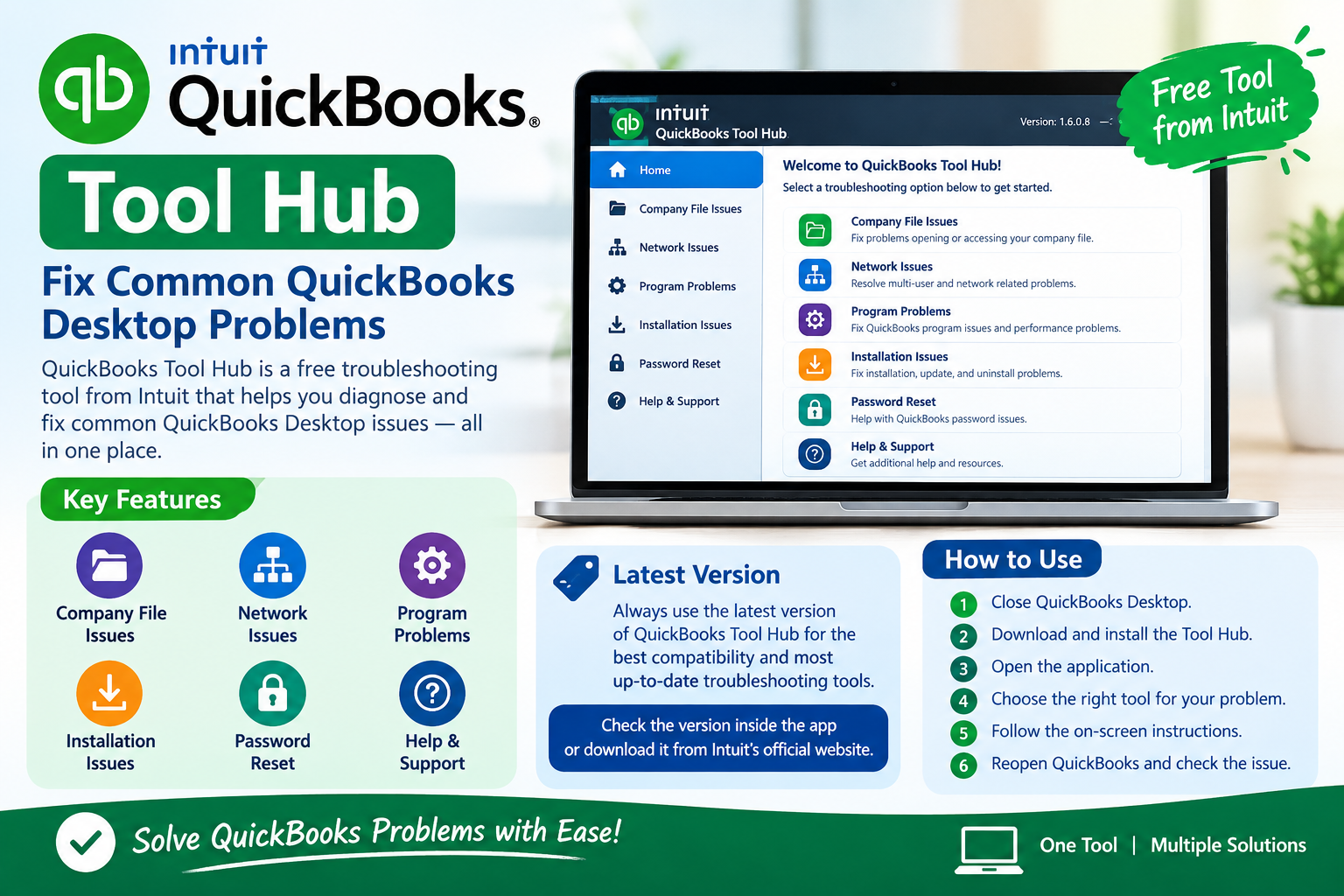
QuickBooks Tool Hub is a free tool from Intuit that helps QuickBooks Desktop users fix common problems. Instead of using different repair tools separately, you can use QuickBooks Tool Hub to find several troubleshooting options in one place.
QuickBooks Tool Hub can help with problems related to company files, installation, network connections, printing, and QuickBooks performance.
If your QuickBooks Desktop is showing an error or is not working correctly, QuickBooks Tool Hub can be a useful first step.
What Is QuickBooks Tool Hub?
QuickBooks Tool Hub is a troubleshooting program for QuickBooks Desktop. It contains different tools that can help diagnose and fix common QuickBooks problems.
For example, you can use it when:
-
QuickBooks is not opening
-
A company file is not opening
-
You are having installation problems
-
You are having printing or PDF problems
The Tool Hub puts these options together in one simple program.
QuickBooks Tool Hub Version
It is important to use an updated version of QuickBooks Tool Hub. Intuit can release new versions to improve the program and support newer QuickBooks Desktop problems.
You can check the version of your Tool Hub after opening the application. The version information is normally shown inside the Tool Hub window.
If you are using an old version, download and install the newest version available from the official Intuit website.
Using the latest version can help make sure that the troubleshooting tools work properly with your QuickBooks Desktop software.
How to Download QuickBooks Tool Hub
Downloading QuickBooks Tool Hub is simple.
First, close QuickBooks Desktop on your computer.
Then download the Tool Hub installation file from the official Intuit website.
After downloading the file, open it and follow the instructions on your screen.
You may need to accept the license agreement and complete the installation process.
After installation, open QuickBooks Tool Hub from the Windows Start menu.
You can then choose the troubleshooting option that matches your QuickBooks problem.
Main Features of QuickBooks Tool Hub
QuickBooks Tool Hub has several sections. Each section is designed to help with a different type of problem.
Company File Issues
The Company File Issues section can help when you cannot open or access your QuickBooks company file.
For example, you may receive an error when opening your company file, or QuickBooks may stop responding while opening it.
The available tools can help diagnose certain company file problems.
Before making changes to a company file, it is always a good idea to have a recent backup.
Network Issues
The Network Issues section is useful for businesses that use QuickBooks Desktop in a multi-user environment.
Sometimes QuickBooks may not be able to connect to the company file stored on another computer or server.
Network problems can cause messages or errors when users try to access the company file.
The Network Issues tools can help identify and troubleshoot some of these problems.
Program Problems
The Program Problems section can help when the QuickBooks program itself is not working correctly.
You may use this section if QuickBooks:
-
Freezes
-
Crashes
-
Opens slowly
-
Stops responding
-
Has problems starting
Some tools can quickly close QuickBooks processes and repair certain program-related problems.
After using the tool, restart QuickBooks and check whether the problem has been resolved.
Installation Issues
The Installation Issues section can help when you have trouble installing, updating, repairing, or uninstalling QuickBooks Desktop.
For example, QuickBooks may stop during installation or show an error while installing an update.
Installation problems can have different causes. The Tool Hub provides troubleshooting options that may help repair some of these issues.
Password Help
QuickBooks users may sometimes have problems accessing their company files because of password-related issues.
If you have forgotten your QuickBooks password, use the official QuickBooks password recovery process.
Never use unknown third-party software that claims to remove or bypass QuickBooks passwords.
Your QuickBooks company file may contain important financial information, so it is important to protect it.
Help and Support
QuickBooks Tool Hub also provides access to help and support information.
If the available tools do not solve your problem, you may need additional assistance from Intuit or a qualified QuickBooks professional.
How to Use QuickBooks Tool Hub
Using QuickBooks Tool Hub is easy.
First, close QuickBooks Desktop.
Next, open QuickBooks Tool Hub.
Look at the options on the left side of the program.
Choose the section that matches your problem.
For example, if QuickBooks is not opening correctly, you can try the Program Problems section.
If you cannot open your company file, select Company File Issues.
Follow the instructions provided by the selected tool.
After the tool finishes, open QuickBooks Desktop again and check whether the problem is fixed.
If the problem continues, you may need to try another suitable troubleshooting method.
Benefits of QuickBooks Tool Hub
QuickBooks Tool Hub has several benefits.
One major benefit is convenience. You do not need to search for many different troubleshooting programs because several options are available in one application.
Other benefits include:
-
Easy to use
-
Free from Intuit
-
Multiple troubleshooting options
-
Helps with common QuickBooks Desktop problems
-
Can save troubleshooting time
-
Useful for company file and program problems
However, Tool Hub cannot fix every QuickBooks problem. Some issues may require additional troubleshooting.
Tips Before Using QuickBooks Tool Hub
Before using QuickBooks Tool Hub, follow a few simple steps.
Make sure QuickBooks Desktop is closed.
Create a recent backup of your company file.
Use the latest available version of QuickBooks Tool Hub.
Choose the tool that matches your problem.
Do not use random repair options if you are not sure what they do.
If the problem involves important financial data, consider getting professional assistance before making major changes.
Does QuickBooks Tool Hub Work With QuickBooks Online?
QuickBooks Tool Hub is mainly designed for QuickBooks Desktop.
QuickBooks Online works differently because it is an online accounting service accessed through a web browser.
Therefore, if you use QuickBooks Online, you normally need to follow QuickBooks Online troubleshooting and support instructions instead of using the Desktop Tool Hub.
Frequently Asked Questions
Is QuickBooks Tool Hub free?
Yes. QuickBooks Tool Hub is available as a free troubleshooting tool from Intuit for QuickBooks Desktop users.
What is the latest QuickBooks Tool Hub version?
The available version can change when Intuit releases updates. Always check the official Intuit website for the newest version instead of relying on an old version number.
Can Tool Hub fix QuickBooks errors?
It can help troubleshoot many common QuickBooks Desktop problems, but it cannot fix every error.
Can Tool Hub fix a damaged company file?
It can provide tools for certain company file problems. However, severely damaged files may require a backup or additional professional assistance.
Do I need to back up my company file?
Yes. Creating a recent backup is recommended before performing troubleshooting that may affect your company file.
Can I use QuickBooks Tool Hub for QuickBooks Online?
QuickBooks Tool Hub is primarily intended for QuickBooks Desktop. QuickBooks Online has its own support and troubleshooting options.
Conclusion
QuickBooks Tool Hub is a simple and useful program for troubleshooting common QuickBooks Desktop problems. It provides several tools in one place, including options for company file problems, network issues, program problems, and installation issues.
For the best results, always use the latest available QuickBooks Tool Hub version and download it from the official Intuit website.
Before troubleshooting, create a backup of your important QuickBooks company file. Then select the Tool Hub option that matches your problem.
If Tool Hub does not solve the issue, additional troubleshooting or professional help may be required.
Overall, QuickBooks Tool Hub can be a helpful first step when QuickBooks Desktop is not working properly.

 English
 Arabic
 French
 Spanish
 Portuguese
 Deutsch
 Turkish
 Dutch
Dutch
 Italiano
 Russian
 Romaian
 Portuguese (Brazil)
 Bengali