


How to Choose the Best School ERP Software in India: A Practical Guide for Schools - One Flawless India
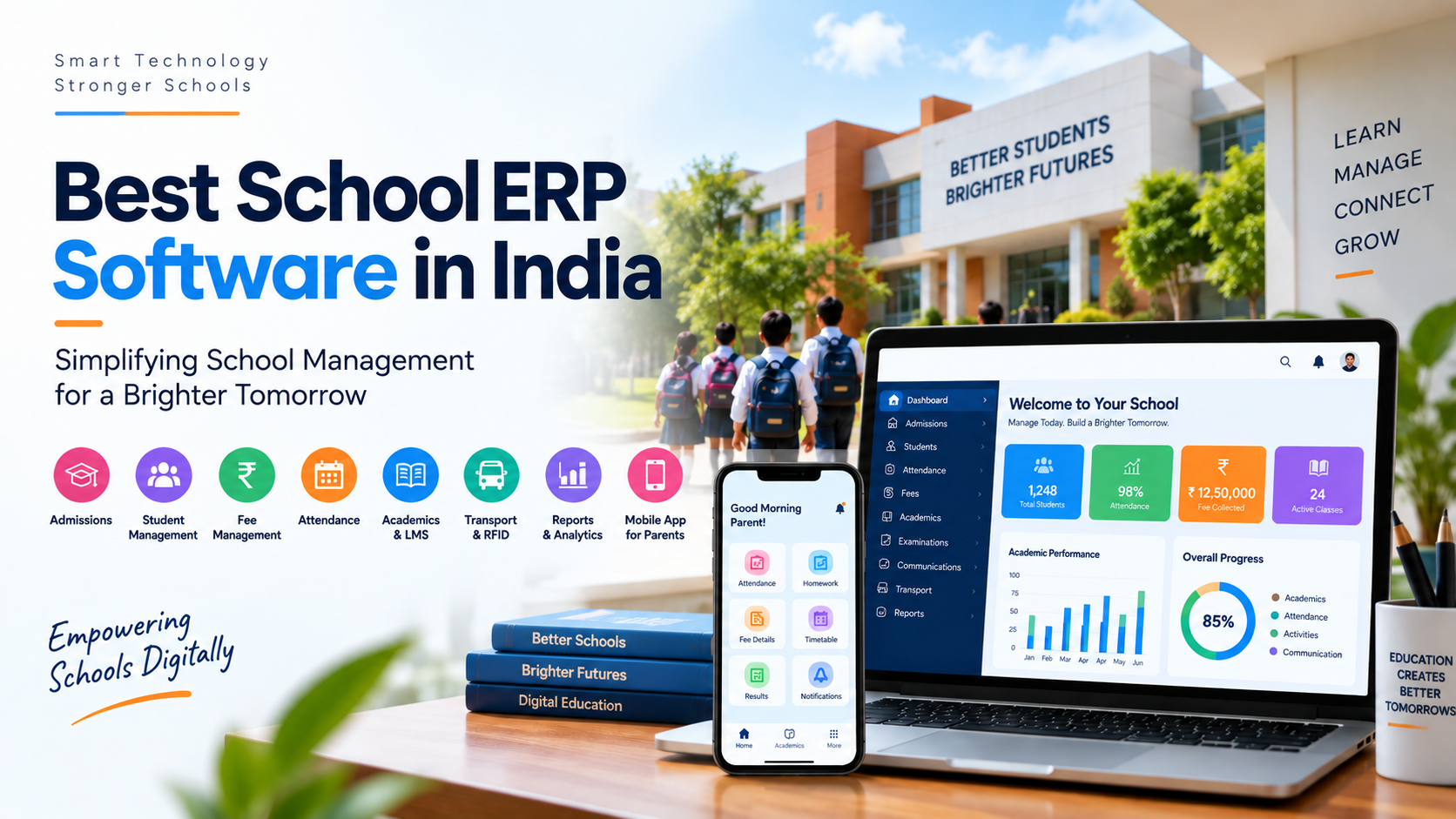
Ask any school administrator what they eat during the week, and you'll rarely hear "teaching." You'll hear about the fee report that took three evenings to reconcile, the admission file that went missing, the parent who called five times about a result that was ready but never sent. Running a school today means juggling admissions, student records, academics, exams, fees, transport, staff, and parent communication, usually across a pile of disconnected tools that don't talk to each other.
The right software can pull all of that into one place. But picking it isn't about hunting for the longest feature list. It's about matching a platform to how your school actually runs.
A 300-student school that needs clean admissions, attendance, fees, and a parent app has very different priorities from a three-campus group that needs consolidated reporting, transport, and digital learning. So the Best School ERP Software for one school can be the wrong fit for another. The trick is to evaluate your own processes, your own users, and your own five-year plan, not someone else's ranking list.
This guide walks you through exactly how to do that.
Why a Connected System Beats a Pile of Tools
A school isn't one process it's a dozen departments handing information back and forth all day. Admissions capture student details. Teachers log attendance and marks. Accounts chase fees. Transport manages routes. The office pushes notices to parents.
The problem starts when each of those lives in its own spreadsheet or app.
Picture one student's information scattered across four places: admission data in Excel, attendance in a separate app, fees in the accounting software, and marks in a register. Every time something changes, someone re-types it somewhere else. That's how errors creep in and how staff lose hours to work that shouldn't exist.
A single School ERP Software platform closes those gaps. Enter a student once at admission, and that record follows them through attendance, exams, fees, and communication no re-typing, no "which sheet has the latest version?" The point isn't just going paperless. It's making the everyday running of the school faster and less error-prone.
Start With Your Problems, Not a Feature List
Here's the most common mistake schools make: they start shopping by comparing feature lists. That's backwards.
Start with what's actually broken. Sit down and ask:
-
Where does staff lose the most time each week?
-
What still runs on paper?
-
Where is the same data entered more than once?
-
Which teams can never get up-to-date information?
-
What do parents call and ask for again and again?
-
Which reports take far too long to produce?
Your answers become your buying criteria. If fee reports swallow a full day every week, then fee automation and reporting move to the top of your list. If teachers dread the attendance register, judge each platform on how quickly attendance actually gets marked. If parents constantly ring the office about homework, results, or notices, then mobile communication deserves real weight.
Lead with your problems, and you'll stop paying for modules that look impressive in a demo but never get used.
What a Good ERP Should Actually Tie Together
At the heart of a strong platform is the student profile. Everything collected at admission becomes the foundation of a living record and the best systems connect that record to attendance, academics, exams, fees, transport, and communication.
That connection is where the real value shows up. When a teacher marks attendance, the office sees it and, where you allow it, so do parents. When exam marks go in, they become part of the student's academic history instead of a stray PDF on someone's desktop.
Look at how the modules work together, not at each one in isolation.
Admissions and student information: Admission is where a student's relationship with your school begins, so the workflow should carry enquiries, applications, documents, verification, and enrolment cleanly into one profile. Done well, it kills repetitive data entry and gives every department the same reliable source of truth with control over who can see what.
Academics and examinations: Timetables, lesson plans, homework, assignments, exams, marks, and report cards should live in the same environment and link back to the student record. Treat results as part of a student's ongoing story, not a one-off document, and tracking progress over the years becomes effortless.
Fees and finance: Every school has its own fee structures, installments, concessions, and late rules. Good software bends to your process instead of forcing you to rebuild it around the software. Online fee payment makes life easier for parents and cuts manual reconciliation for your accounts team just confirming upfront what the fee module includes and whether any transaction charges apply.
Look Past the Label "School Management Software"
School Management Software is a broad label, and two products wearing it can be worlds apart in depth. So don't judge by the name, judge by how well the system serves everyone who touches it.
Administrators need clean operational data and reports. Teachers need academic tools that don't fight them. Parents need to find their child's information in seconds. Students need easy access to assignments, results, and updates.
And here's the part vendors gloss over: adoption lives or dies on usability. A platform can be brilliant on paper, but if a teacher needs seven taps to mark attendance, it won't get used. The same goes for parents: a feature-packed app is useless if the fee button is buried three menus deep.
So don't settle for the polished sales presentation. Ask for a demo built on real scenarios:
-
Add a new student, start to profile.
-
Mark attendance for a class.
-
Generate an exam result.
-
Pay a fee.
-
Send a notice and show where the parent receives it.
Watching those five things run tells you more than an hour of slides ever will.
Quick gut-check for any demo: Could a busy teacher do their daily tasks without training? Could a parent find their child's attendance in under ten seconds? If not, keep looking.
ERP, LMS, or Both?
Digital learning has raised the bar for what schools expect from technology. A traditional ERP handles administration and operations; an LMS focuses on teaching and learning. An integrated School ERP & LMS Software platform brings the two together.
The appeal is a single, unbroken student journey: admission and registration flow into attendance, classwork, assignments, assessments, exams, results, and parent updates all in connected systems, with less duplication along the way.
Just don't take the "LMS" label at face value. Some platforms bolt on a thin learning layer and call it done. Look closely at whether it genuinely supports what your school needs: assignments, assessments, learning resources, online classes, progress tracking, and real teacher-student interaction. (If you're still weighing the terms, here's a plain breakdown of the difference between an ERP and school management software.)
How much this matters depends on your strategy. Some schools just want rock-solid academic and administrative management. Others want a full digital learning environment. Be honest about which one you are before you pay for the other.
Integrations Are Where Systems Quietly Fail
Most schools already run more than one piece of technology biometric devices, RFID cards, GPS trackers, payment gateways, a website, communication tools, accounting software. How well a new ERP plays with all of that is a make-or-break question.
Take RFID. A RFID School Management System can handle identification, attendance, gate entry and exit, and access control but only if the hardware and software actually talk to each other. Installing readers and handing out cards achieves nothing on its own; the data has to land inside the student record and show up where staff and parents can use it.
So before you commit, dig into hardware compatibility, data sync, reporting, maintenance, and permissions and check the same for your biometric attendance, GPS bus tracking, and payment integrations. The goal is one connected ecosystem, not a drawer full of gadgets that each do their own thing.
The Parent App Is Your Front Door
Parents run their lives from their phones now. Printed circulars and phone calls can't keep up — and honestly, parents don't want them to. The app is often the only part of your ERP a parent ever sees, which makes it far more important than most schools realise.
Judge a Best School Mobile App in India on how easy it makes the everyday, not on how many features it lists. Parents should be able to open it and immediately find attendance, homework, results, fees and payments, notices, timetables, and transport updates.
Then check the other side of it. Teachers and admins live in the app too, and it should extend the main platform rather than become yet another disconnected tool. During the demo, ask to see it from three seats: a parent looking up to their child, a teacher handling academics, and an admin controlling communication. That reveals far more than a screenshot ever could.
Don't Treat Security as an Afterthought
Schools hold a lot of sensitive information personal, academic, and financial. That makes data protection a leadership question, not just an IT one.
Ask exactly how the vendor handles access, authentication, permissions, backups, and recovery. Not everyone should see everything: a teacher needs attendance and marks for their own classes; an accounts clerk needs fee data. Role-based permissions keep access tied to responsibility, which protects both students and staff.
And press on backups. Things go wrong, servers fail, mistakes happen. You need to know, before you sign, how your data is protected and how quickly you'd get it back.
Buy for the School You'll Be in Three Years
A platform that fits a small school today can buckle as you grow — more students, a new campus, added transport, expanded digital learning, an RFID rollout. Growth shouldn't force a painful software switch.
When you look at Education ERP Software, weigh tomorrow as much as today:
-
Can it handle far more students and users?
-
Can it support multiple campuses?
-
Can you switch on new modules later?
-
Can you add integrations as you need them?
-
Can the reporting grow more sophisticated with you?
You're trying to avoid the trap of software that solves this year's headache but becomes next year's ceiling.
Judging School Management Software Built for India
If you're evaluating School Management Software in India, the platform should fit the realities you work in local fee structures, board processes (CBSE, ICSE), Indian payment methods, attendance systems, transport, and parent communication norms.
But "made for India" isn't a free pass. It still has to earn its place against your requirements. The fastest way to test that is to stop asking "can it do X?" and start asking "show me how it does X":
-
"Show us a new student moving from admission into their profile."
-
"Show us a teacher marking attendance."
-
"Show us exam results entered and reported."
-
"Show us how parents receive an important update."
-
"Show us how accounts track pending fees."
Scenario demos expose strengths and weak spots in minutes — long before you're locked into a contract.
Look at Total Cost, Not the Sticker Price
The subscription is only part of the bill. Real cost includes implementation, data migration, training, extra modules, integrations, hardware, customization, support, and renewals.
One vendor may bundle the mobile app and integrations into the base price; another may charge for each separately. That's why headline prices are so misleading. Ask for a full, itemized breakdown of what you pay to get started and what recurs later so a "cheaper" quote doesn't quietly become the expensive one once the essentials are added. (For a realistic sense of the numbers, see what school ERP actually costs in India.)
Implementation Makes or Breaks the Whole Thing
Choosing the software is the easy half. Whether it succeeds comes down to the rollout and this is where good intentions go to die.
A solid transition runs through requirements, configuration, data prep, migration, testing, training, and a phased go-live. Ask each vendor how they handle every one of those stages.
Two deserve special attention. First, data migration of your student, fee, and staff records are probably spread across spreadsheets, old software, and paper, and moving them cleanly takes real planning and validation. (If you're leaving another system, here's what switching your ERP without losing data actually involves.) Second, training staff need to understand the system before they're expected to run it daily. A structured onboarding process is the difference between smooth adoption and quiet mutiny in the staffroom.
Build Your Own Scorecard for the Best School ERP Software in India
Search for the Best School ERP Software in India and you'll drown in vendors making near-identical claims. Cut through it by scoring every shortlisted platform against your priorities instead of their marketing.
A quick scorecard for shortlisting any ERP
-
Functionality: Does it cover our must-have modules?
-
Usability: Will teachers and parents use it without a fight?
-
Integrations: Does it connect our RFID, biometric, GPS, and payments?
-
Security: Is access role-based, with reliable backups?
-
Mobile app: Is the parent and teacher experience genuinely easy?
-
Reporting: Can leadership see what they need at a glance?
-
Implementation & support: Is migration, training, and after-sales help solid?
-
Scalability: Will it still fit us in three years?
-
Total cost: Do we know every recurring and one-time charge?
And bring in the people who'll actually use it. Let teachers test classroom workflows, accounts review fee management, admins check admissions and records, leadership judge the dashboards, and a few parents try the app. That beats one person deciding for the whole school every single time.
So What Actually Makes an ERP the "Best"?
Not the feature count. "Best" is whatever fits your school.
For one school that's dead-simple administration and painless adoption. For another it's multi-campus reporting, deep integrations, or a full digital learning suite. The right platform is the one that lines up with how you operate and what your people expect.
When you're deciding, hold every option up to one question:
Does this solve our biggest problems, can our people use it comfortably, and will it grow with us?
If the honest answer is yes after real testing not a slick demo it's worth serious consideration.
Where One Flawless Fits
One Flawless is built to pull school operations into one connected platform — admissions, student management, attendance, academics, exams, fees, communication, transport, and reporting in a single environment. It also connects the hardware and services schools already rely on, from RFID and biometric attendance to GPS tracking, online payments, and parent communication tools.
If you're moving away from scattered spreadsheets and standalone apps, the smart next step is simple: test these capabilities against your own workflows rather than a feature list. A demo mapped to your processes will tell you quickly whether it's the right fit.
Conclusion
Choosing school technology is a long-term decision, and the right platform should make daily work simpler while giving you room to grow.
Start with your real challenges. Define your must-haves. Put actual users in front of the software. Test the everyday workflows. Check the integrations and the security. Understand the full cost. Weigh the implementation and support.
Don't buy the longest feature list or the flashiest pitch. Buy the platform that solves your school's real problems.
See it for yourself. Book a free demo with One Flawless and walk through your own admissions, fees, attendance, and parent communication so you can judge the fit on your terms, not a sales script.

 English
 Arabic
 French
 Spanish
 Portuguese
 Turkish
 Dutch
Dutch
 Italiano
 Russian
 Romaian
 Portuguese (Brazil)
 Greek
Greek
 Bengali