


Construction Photo Documentation: What to Capture and How to Organize It
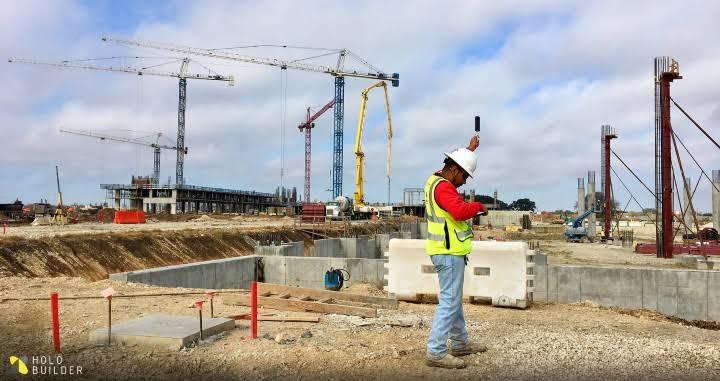
Construction photographs are one of the simplest ways to create a strong visual record of a project. They can confirm progress, document concealed conditions, support change discussions, show quality issues, and help office staff understand work without visiting the site. The problem is that teams often take thousands of photos without a clear organization method. Months later, finding the one image that matters becomes almost impossible. Good photo documentation requires both intentional capture and consistent organization so every important image remains useful after the day it was taken.
Capture Progress From Consistent Locations
Regular progress photos help managers and clients understand how the project is developing. Taking photographs from similar viewpoints each week creates a useful visual sequence.
Using contruction software can help group these images by project area or date. Consistent viewpoints also make comparison easier. Instead of a random collection of closeups, the team can see how major spaces changed over time and whether planned progress is visible.
Photograph Work Before It Is Concealed
Some of the most valuable photos are taken before walls, ceilings, or finishes hide the work. Plumbing, electrical routes, reinforcement, waterproofing, blocking, and other concealed conditions can become difficult or expensive to inspect later.
The project should identify which hidden work deserves documentation before close up. These images can support maintenance, future renovations, quality verification, and dispute resolution. A few well framed photos with clear location information are much more useful than hundreds of images taken after the work has already disappeared behind finishes.
Document Quality Problems and Corrections
When a defect is identified, photograph the issue before correction and, where useful, again after the work is repaired. The image should show enough surrounding context to understand the location.
Software for contractors can attach these photos directly to punch items or quality observations. This creates a complete record rather than keeping before and after images in separate personal galleries. The responsible subcontractor can also understand the issue more quickly when the photo is connected to a clear task.
Record Deliveries and Damage
Important material deliveries may deserve photographs, especially when damage, shortage, or questionable condition is visible. Taking the image while the delivery is being received creates stronger evidence for supplier follow up.
The photo should capture the condition clearly and include identifying information where practical. If packaging labels or delivery references are relevant, they can be photographed separately. The receiving record should explain what action was taken so the image remains connected to the issue instead of becoming an unexplained picture of damaged material.
Use Photos With RFIs and Changes
A good photograph can make an RFI much easier to answer. Site conflicts are often difficult to understand from text alone, especially for consultants who are not on site.
The team can photograph the condition, mark the area if necessary, and attach the relevant drawing. The same approach helps with change documentation. A photo can show the existing condition that made additional work necessary. This does not replace formal scope or pricing documentation, but it provides useful visual context.
Organize by Project, Area, and Purpose
Date alone is rarely enough for large projects. Photos should be connected to locations, tasks, daily reports, quality issues, or other meaningful project categories.
Modern construction platforms can use metadata rather than forcing users to create complicated nested folders. The field should be able to find an image based on what it shows, not only when it was taken. Searchable context dramatically increases the long term value of the photo library.
Avoid Personal Phone Galleries as the Main Archive
Supervisors naturally use their phones to take photos, but those images should move into the official project record quickly. Personal galleries create continuity problems when an employee leaves, changes devices, or deletes older pictures.
Automatic upload or simple in app capture reduces this risk. Company policy should make clear which project photos need preservation. The goal is not to control every casual image but to ensure important evidence does not exist only on one person’s device.
Take Fewer Photos With Better Context
More photos do not automatically create better documentation. A project containing fifteen thousand unlabeled images can be harder to use than one containing three thousand well organized photographs.
Teams should capture progress, concealed work, quality issues, deliveries, changes, and significant conditions with enough context to make each image understandable. When photographs are linked to the project records they support, they become a valuable tool for communication and closeout. The best photo documentation is not the largest collection. It is the collection people can actually find and understand when the question appears months later.

 Arabic
 French
 Spanish
 Portuguese
 Deutsch
 Turkish
 Dutch
Dutch
 Italiano
 Russian
 Romaian
 Portuguese (Brazil)
 Greek
Greek
 Bengali