


XBRL Tagging Software: A Practical Guide to Accurate Reporting
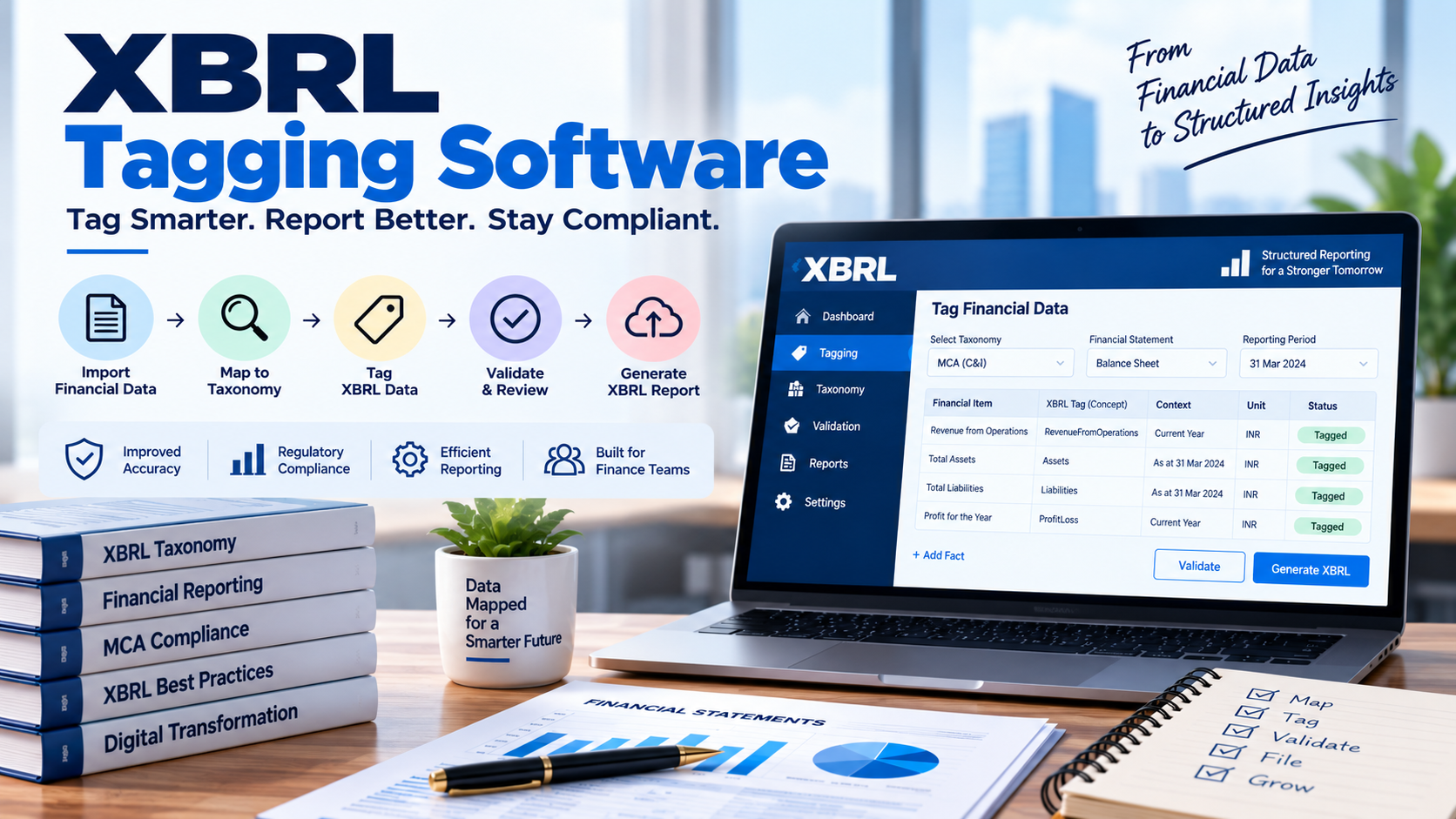
XBRL Tagging Software: A Practical Guide to Accurate Reporting
Financial information becomes machine-readable in XBRL when individual reported facts are connected with appropriate XBRL concepts and related information. This process is known as tagging. For organizations preparing structured financial reports, XBRL Tagging Software can help manage this process by providing tools for selecting taxonomy concepts, assigning tags, maintaining contexts and reviewing the resulting data.
Tagging is more than attaching labels to numbers. The selected concept needs to represent the meaning of the reported information, while details such as reporting period, entity and unit also need to be represented correctly. A structured tagging workflow can therefore help finance and compliance teams prepare XBRL reports with greater consistency.
What Is XBRL Tagging?
XBRL tagging is the process of applying XBRL concepts and related information to facts in an existing business report to create structured XBRL data. XBRL International defines tagging as selecting concepts, dimensions and other information and applying them to values in a business report to create facts.
For example, a financial statement may contain a figure for revenue. In an XBRL report, that figure needs to be associated with the appropriate taxonomy concept and contextual information.
A simplified representation is:
Financial Information → XBRL Concept → Context + Unit → XBRL Fact
The resulting facts can then form part of an XBRL instance document.
Why Is Accurate Tagging Important?
The purpose of tagging is to give financial information a standardized digital meaning.
An incorrect tag can change how a reported fact is interpreted by software and data users. Selecting a concept that is similar in name but different in meaning can therefore create problems even when the underlying financial number is correct.
Taxonomies provide the concepts and related information used for digital reporting. They can also contain relationships, references, labels and validation rules.
Accurate tagging therefore requires both an understanding of the financial disclosure and familiarity with the applicable taxonomy.
How Does XBRL Tagging Software Work?
The exact workflow depends on the software, but a typical tagging process can include the following stages.
| Tagging Stage | What Happens | Role of Tagging Software |
|---|---|---|
| Source review | Financial statements are reviewed | Organizes source information |
| Taxonomy selection | Applicable taxonomy is identified | Loads or provides access to taxonomy concepts |
| Concept selection | Financial items are mapped to concepts | Helps search and select relevant concepts |
| Context creation | Entity and reporting period are defined | Helps create and manage contexts |
| Unit assignment | Appropriate units are associated with numeric facts | Supports unit selection |
| Fact creation | Values are combined with concepts and context | Creates structured XBRL facts |
| Review and validation | Tagged information is checked | Identifies potential errors and inconsistencies |
This workflow shows why tagging software is not simply a formatting tool. It supports the process of converting business information into structured digital facts.
What Should Be Considered When Selecting an XBRL Concept?
Concept selection is one of the most important parts of tagging.
A finance professional should consider the meaning of the underlying disclosure rather than selecting a concept only because its label looks similar.
For example, two concepts may have related names but different definitions, data types or reporting relationships. The taxonomy may also provide references to accounting standards, legislation or other authoritative material that can help explain a concept.
A practical review can therefore ask:
- What exactly does the financial disclosure represent?
- Which taxonomy concept describes that meaning?
- Does the concept apply to the relevant reporting requirement?
- Does the concept have the appropriate data type?
- Are dimensions required?
- Is an existing concept available instead of creating an extension?
These questions can help reduce inappropriate tagging decisions.
Why Do Context and Units Matter?
A financial value does not always have sufficient meaning on its own.
XBRL facts are associated with contextual information such as the reporting entity and period. Numeric facts also have units where applicable. XBRL's technical documentation describes a fact as a value associated with a concept and contextual information such as the entity, period and unit.
For example, the number 100 could represent different things depending on whether it refers to currency, shares, employees or another measure.
Similarly, a financial amount for one reporting period should not be confused with the corresponding amount for another period.
Tagging software can help users manage these attributes alongside the selected concepts.
How Does XBRL Software Handle Tagging Errors?
Tagging errors can occur when the wrong concept, period, unit or dimension is selected.
A useful software workflow should make it possible to identify and review these issues before the XBRL report is finalized.
Common areas to review include:
- Incorrect concept selection
- Missing facts
- Incorrect reporting period
- Wrong unit
- Incorrect dimensional information
- Inconsistent calculations
- Missing required information
- Inappropriate use of extensions
Validation can provide another layer of checking after tagging. XBRL International describes validation as automated data-quality checking against rules that an XBRL report should follow.
When Is an XBRL Extension Needed?
Sometimes the applicable taxonomy may not contain an appropriate concept for a particular disclosure. In reporting environments where extensions are permitted, an extension may be considered according to the applicable rules.
However, an extension should not simply be created because finding an existing concept is inconvenient.
MCA's XBRL filing guidance has addressed situations where a relevant tag is not available in the taxonomy and provides specific guidance around the use of an "Others" element and related disclosures. The applicable taxonomy and filing instructions should therefore be followed for the relevant reporting requirement.
This is another reason why tagging requires professional judgment rather than completely automated selection.
What Should Companies Look for in XBRL Tagging Software?
Companies evaluating an XBRL tagging solution should consider whether it supports the requirements of their reporting environment.
Useful capabilities may include:
- Access to applicable taxonomies
- Searchable taxonomy concepts
- Financial data mapping
- Context management
- Unit management
- Dimension support
- Tagging and editing functionality
- Validation checks
- Error identification
- Instance document generation
- Review and correction workflows
For regulatory reporting, it is particularly important to confirm that the software supports the taxonomy and reporting requirements applicable to the relevant filing period.
Can XBRL Tagging Be Fully Automated?
Not in every situation.
Software can automate repetitive parts of tagging and provide suggestions or structured workflows, but the correct interpretation of a financial disclosure may require professional judgment.
A human reviewer needs to determine whether the selected concept actually represents the underlying information. This is particularly important where disclosures are complex, multiple concepts appear relevant, or the taxonomy provides detailed reporting choices.
The most practical approach is generally to combine software-assisted tagging with professional review and validation.
How Can Finance Teams Improve Their Tagging Process?
A consistent tagging procedure can make recurring reporting easier to manage.
A practical workflow is:
Review Financial Statements → Select Taxonomy → Map Concepts → Create Contexts → Assign Units → Review Tags → Validate → Resolve Issues → Final Review
Teams can also document important mapping decisions. Maintaining this information can make future reporting cycles more consistent, particularly when similar disclosures need to be tagged repeatedly.
Taxonomy updates should also be monitored because the concepts, rules and reporting requirements applicable to a filing can change.
FAQs
What is XBRL Tagging Software?
XBRL Tagging Software is software that helps users associate financial information with XBRL concepts and related information to create structured XBRL facts.
What does an XBRL tag represent?
An XBRL tag generally represents a defined reporting concept from an applicable taxonomy. The fact also carries contextual information needed to interpret the reported value.
Why is taxonomy important for XBRL tagging?
The taxonomy provides the digital concepts and related information used to represent reported business and financial information in a standardized way.
Can XBRL tagging software automatically select the correct tag?
Some software may provide search, mapping or automated assistance, but the appropriate concept can require professional interpretation of the underlying disclosure.
What should be checked after XBRL tagging?
The tagged information should be reviewed for appropriate concepts, contexts, units and dimensions and then subjected to applicable validation checks before the report is finalized.
Conclusion
XBRL tagging is the process that gives financial information its structured digital meaning. Selecting an appropriate concept is only one part of the process. Contexts, units, dimensions and other attributes also contribute to how an XBRL fact is interpreted.
XBRL Tagging Software can make this work more organized by providing taxonomy access, mapping tools, structured fact creation, review capabilities and validation support. However, software-assisted tagging still benefits from professional review, particularly when financial disclosures require interpretation.
For companies preparing recurring XBRL reports, a controlled tagging workflow can help make the preparation process more consistent and easier to review.

 English
 French
 Spanish
 Portuguese
 Deutsch
 Turkish
 Dutch
Dutch
 Italiano
 Russian
 Romaian
 Portuguese (Brazil)
 Greek
Greek
 Bengali