


Profitability Management Software: How to Improve Business Profitability, Control Costs, and Make Smarter Decisions
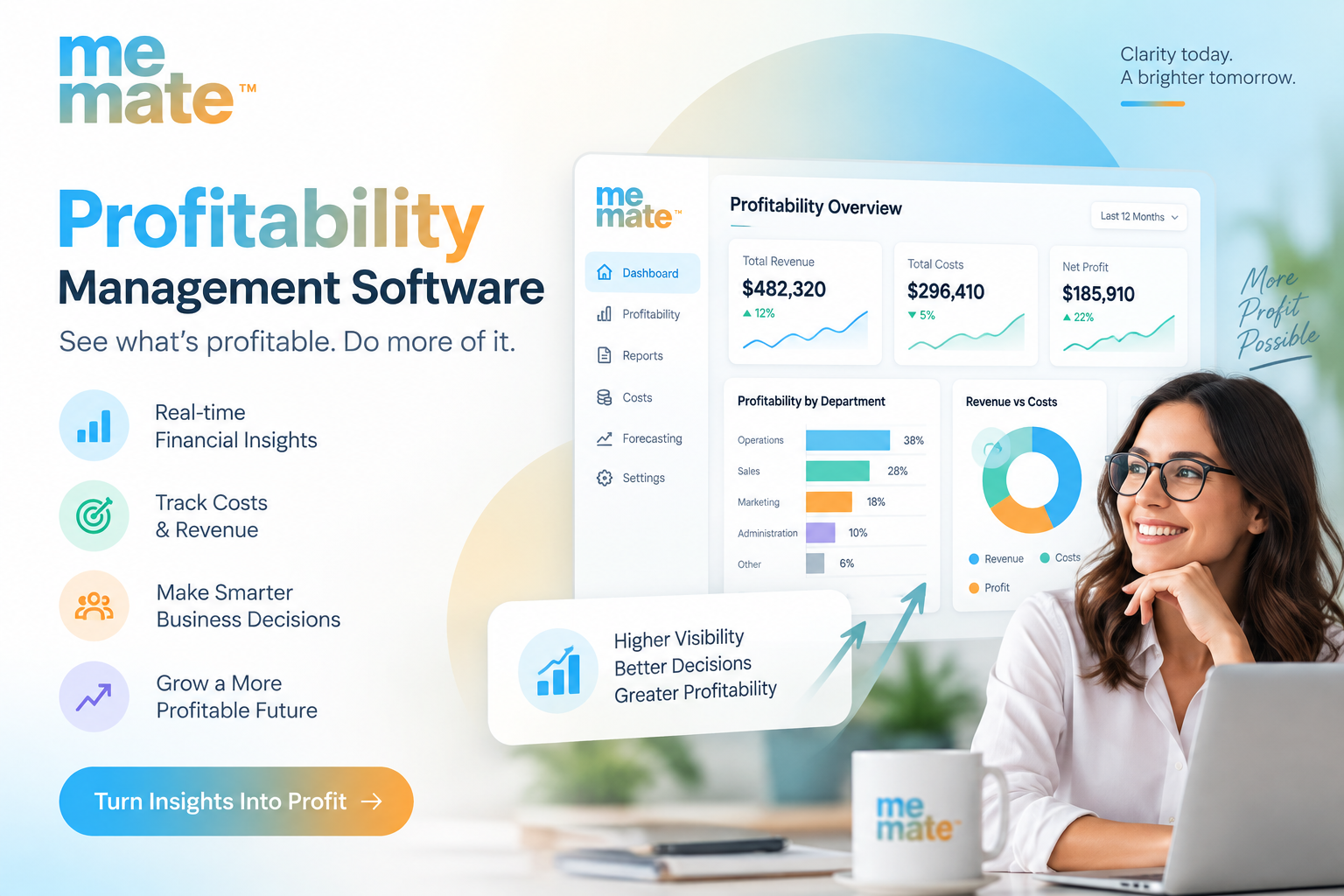
Profitability can become harder to manage as a business grows. More customers, projects, employees, suppliers, and expenses create more data—and more opportunities for costs to slip through the cracks. A business may generate strong revenue while individual projects, services, or customer accounts produce disappointing margins.
That is where Profitability Management Software can provide practical value. Instead of relying on disconnected spreadsheets, accounting records, and manually prepared reports, businesses can bring operational and financial information together to understand where money is being earned, where it is being spent, and where improvements are needed.
What Is Profitability Management Software?
Profitability management software helps businesses monitor the factors that influence profit, including revenue, expenses, labour, resource utilisation, project costs, and margins.
Traditional accounting software is essential for financial records and compliance, but profitability management focuses more directly on operational decision-making. For example, a project manager may need to know whether a job is still within budget—not simply whether an invoice has been issued.
A useful system can connect information from quoting and sales through project delivery, expenses, time tracking, invoicing, and reporting. This creates a clearer picture of actual performance.
How Software Can Improve Business Profitability
1. Improve visibility into project and service margins
Revenue alone does not tell you whether an activity is profitable. A $20,000 project can look attractive until labour, materials, subcontractors, and other expenses are accounted for.
Profitability software can help compare expected costs with actual costs throughout the work. If a project begins moving outside its original budget, management can investigate before the problem becomes a significant loss.
2. Strengthen cost control
Small expenses can have a meaningful effect when they occur repeatedly. Better visibility makes it easier to identify unnecessary spending, unexpected supplier costs, excessive labour hours, or resources being allocated inefficiently.
The goal is not simply to reduce spending. Cutting an expense that supports quality or customer retention may create a larger problem elsewhere. Instead, businesses should focus on understanding which costs generate value and which do not.
3. Make forecasting and resource allocation more practical
Historical and current operational data can support better forecasts. Managers can identify which services consistently produce healthy margins, which projects consume more resources than expected, and where additional staff or contractors may be required.
This can improve decisions about pricing, staffing, scheduling, purchasing, and accepting new work.
4. Turn reporting into an ongoing management process
Business Reporting Solutions are most useful when they help people act, rather than simply produce attractive charts.
Managers should be able to answer questions such as:
-
Which projects are currently most profitable?
-
Which jobs are exceeding their budgets?
-
Are labour costs tracking against expectations?
-
Which services generate the strongest margins?
-
Where are operational expenses increasing?
-
Are sales opportunities likely to create profitable work?
Regular visibility allows problems to be addressed while there is still time to change the outcome.
Business Areas That Influence Profitability
Profit is affected by more than finance. Operational performance has a direct connection to the bottom line.
A Task Management App can help teams organise responsibilities, deadlines, and workloads. Better coordination can reduce avoidable delays and make it easier to see where work is getting stuck.
A Supplier Management System can provide a central record of suppliers, purchasing activity, and related costs. This can make supplier spending easier to review and compare over time.
Sales performance matters too. A Sales Management System can help businesses monitor quotes, opportunities, follow-ups, and conversion activity. However, the most valuable question is not always “How much did we sell?” It can be “How much profitable work did we sell?”
Likewise, task management software can contribute to profitability when it connects planned work with actual time, costs, and project outcomes.
The strongest approach is to connect these operational areas rather than manage each one in isolation.
Features to Look for in Profitability Management Software
When comparing platforms, consider whether the software provides:
-
Real-time or regularly updated profitability information
-
Budgeting and cost tracking
-
Project-level financial visibility
-
Expense and supplier management
-
Time and labour tracking
-
Quoting and pricing tools
-
Sales pipeline visibility
-
Invoicing and payment management
-
Customisable or built-in reports
-
Resource and task management
-
Clear dashboards for managers and business owners
Integration is also important. If employees have to enter the same information into several systems, data quality can deteriorate and administrative work increases.
Where Does meMate Fit?
For businesses that want operational and financial processes connected, meMate is one example of an all-in-one business management platform. Its Australian platform combines areas such as project management, supplier management, sales pipeline management, invoicing, expenses, reporting, budgeting, and profitability tracking. Its profitability tools are designed to connect budgets established during quoting with project-related expenses, employee time, and contractor work.
That approach can be particularly relevant for project-based businesses where profitability depends on keeping quoted costs, actual work, and expenses aligned.
It should still be evaluated against a company's specific workflow, reporting requirements, integrations, budget, and existing systems rather than selected simply because it offers many features.
How to Choose the Right Solution
Before purchasing, ask practical questions rather than focusing only on the feature list.
Can it show profitability at the level I actually manage?
Some businesses need project-level visibility, while others need profitability by product, service, customer, department, or location.
Does it connect operational activity with financial results?
A system becomes more useful when quotes, work, expenses, time, and invoices contribute to the same picture.
Will employees actually use it?
A sophisticated platform is of limited value if staff find it difficult to update. Consider usability, workflows, training, and mobile access where relevant.
Can it grow with the business?
Check whether reporting, users, workflows, integrations, and data requirements can scale as operations become more complex.
Practical Implementation Considerations
Technology alone does not improve profitability. Businesses also need reliable processes.
Start by defining the numbers that matter most. Establish how budgets, labour, supplier expenses, overheads, and revenue will be recorded. Then create consistent workflows for quoting, approving expenses, assigning work, recording time, and closing projects.
It is also worth reviewing results regularly. A monthly profitability review can reveal patterns, while more frequent monitoring may be appropriate for high-value or fast-moving projects.
The objective should be simple: give the right people enough reliable information to make better decisions at the right time.
Frequently Asked Questions
Is profitability management software the same as accounting software?
Not necessarily. Accounting software primarily manages financial records and accounting processes, while profitability management tools typically place greater emphasis on operational performance, budgets, costs, margins, and decision-making. Some platforms can complement or connect with accounting systems.
Who can benefit from profitability management software?
It can be useful for businesses managing multiple projects, services, employees, contractors, suppliers, or cost centres. It is especially valuable when spreadsheets and disconnected systems make it difficult to understand where profit is being created or lost.
Can profitability software help control project costs?
Yes. When budgets, labour, expenses, supplier costs, and project revenue are tracked together, managers can identify cost variances earlier and investigate them before a project is completed.
What should a business measure besides revenue?
Useful measures can include gross or operational margin, project profitability, labour utilisation, budget variance, supplier costs, sales conversion, overheads, and the relationship between estimated and actual project costs.
Is an all-in-one platform always the best choice?
No. The right solution depends on business size, processes, existing software, integration needs, reporting requirements, and budget. An all-in-one platform may reduce duplicated data entry, but businesses should evaluate whether its workflows match their actual operations.
Conclusion
Improving profitability is rarely about finding one expense to eliminate. It is about understanding how pricing, sales, labour, suppliers, projects, resources, and operational decisions interact.
The right profitability management software can bring these areas together, making financial and operational performance easier to understand. For business owners and managers, that visibility can support earlier intervention, more informed resource allocation, stronger cost control, and better decisions about which work is worth pursuing.
Before choosing a platform, focus less on the number of features and more on whether it gives your team reliable information that can be turned into practical action.

 Arabic
 French
 Spanish
 Portuguese
 Deutsch
 Turkish
 Dutch
Dutch
 Italiano
 Russian
 Romaian
 Portuguese (Brazil)
 Greek
Greek
 Bengali