


How can an invoicing app make billing easier?
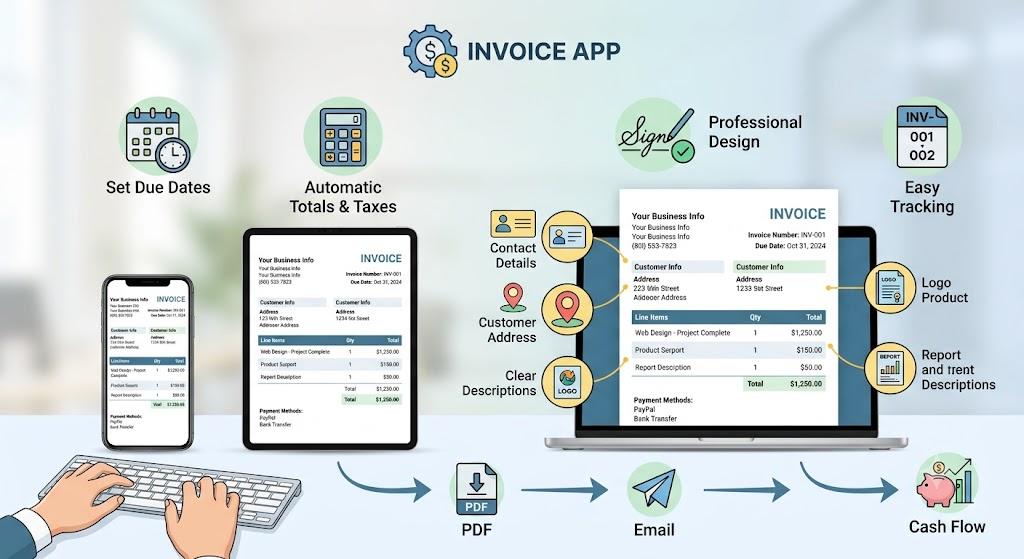
An invoice generator app helps freelancers and small businesses create accurate, professional invoices without rebuilding documents manually. You can enter customer information, list products or services, calculate totals, add payment terms, and download a polished invoice from your phone, tablet, or computer within minutes.
Using a dedicated invoicing tool can save valuable time, especially when you bill several customers each month. It keeps the layout consistent and reduces common mistakes involving totals, invoice numbers, due dates, or missing payment information.
Every invoice should clearly include:
-
Your business name and contact details
-
The customer’s name and billing address
-
A unique invoice number
-
The invoice issue date
-
A specific payment due date
-
Clear product or service descriptions
-
Quantity, rate, and line totals
-
Taxes, discounts, or extra charges
-
The final amount payable
-
Accepted payment methods
-
Bank or payment account details
-
Relevant notes and payment terms
Use specific descriptions so customers understand each charge. For example, “Logo design and two revision rounds” is more useful than “design services.” Clear information can reduce questions and help customers approve payments faster.
What should you check before sending an invoice?
Check the customer information, dates, calculations, service descriptions, payment instructions, and final total before sharing the document. A professional design is helpful, but incorrect bank details, missing tax information, or an unclear deadline can still delay the customer’s payment process.
Follow this simple workflow:
-
Enter the correct business and customer details.
-
Assign a unique invoice number.
-
Add the issue date and exact due date.
-
List every service or product separately.
-
Review quantities, rates, and calculations.
-
Apply the correct tax or discount.
-
Verify your payment information.
-
Download the finished invoice as a PDF.
-
Send it with a clear email subject line.
-
Save a copy for your financial records.
A sequential numbering system such as INV-001, INV-002, and INV-003 makes billing easier to organise. It allows you to identify which invoices are paid, pending, overdue, revised, or cancelled.
Send invoices as soon as the work is completed or the agreed billing date arrives. Delaying the invoice also delays the customer’s internal approval and payment timeline.
Consistent invoicing supports stronger cash-flow management. It gives your business a reliable record of completed work, outstanding payments, and customer billing history while presenting a more professional experience.
Frequently Asked Questions
Can I use an invoicing app on my phone?
Yes. A browser-based tool can usually be accessed from a smartphone, tablet, or computer, allowing you to create invoices from different locations.
Do I need accounting experience to use one?
No. A straightforward tool handles the layout and basic calculations, but you should still review every detail before sending the invoice.

 English
 Arabic
 French
 Spanish
 Portuguese
 Deutsch
 Turkish
 Dutch
Dutch
 Russian
 Romaian
 Portuguese (Brazil)
 Greek
Greek
 Bengali