


What is the easiest software for making invoices for free?
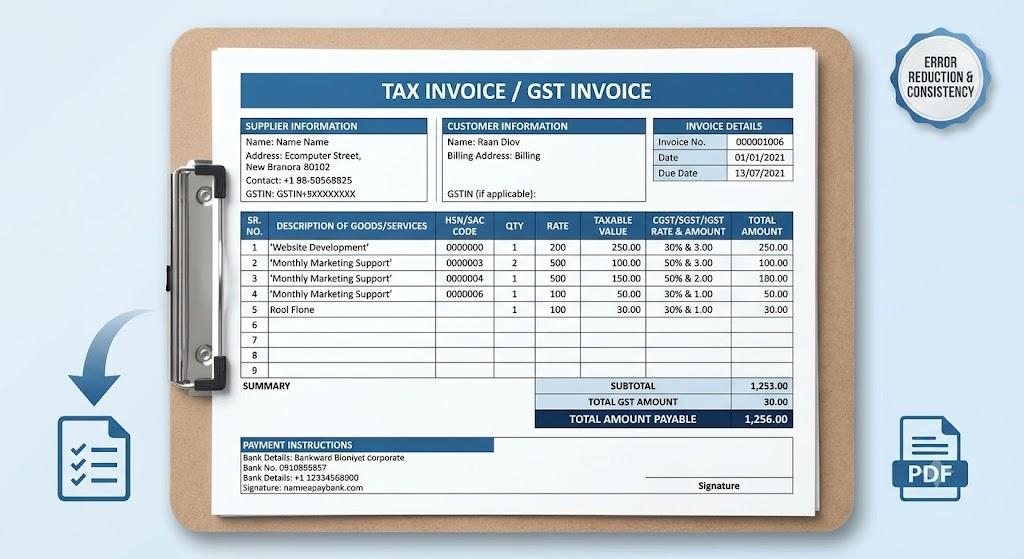
The easiest option is a simple online tool that lets you add business details, customer information, services, prices, taxes, and payment terms in one place. When choosing free invoice maker software, look for a platform that creates professional invoices quickly, calculates totals accurately, and allows easy PDF downloads.
Free invoice software is useful for freelancers, consultants, contractors, agencies, tradies, and small businesses that want to avoid creating every invoice manually.
Instead of editing old Word documents or spreadsheets, users can complete a structured form and generate a clean invoice within minutes.
A reliable invoice maker should include:
- Business name and contact details
- Company logo, if available
- Customer name and billing information
- Unique invoice number
- Invoice date
- Payment due date
- Product or service descriptions
- Quantity, hours, or units
- Rates and line totals
- Taxes and discounts
- Final amount payable
- Accepted payment methods
- PDF download options
Clear service descriptions are important. Avoid writing general phrases such as “work completed.” Mention the exact service, product, or billing period covered.
Examples include website development, monthly SEO management, plumbing repair, consulting, graphic design, or product delivery.
Why should businesses use invoice maker software?
Businesses should use invoice maker software because it saves time, reduces calculation errors, and keeps billing documents consistent. A structured system also makes it easier to organise customer details, track invoice numbers, and create professional payment requests.
The main benefits include:
- Faster invoice creation.
- Consistent professional formatting.
- Fewer manual calculation mistakes.
- Clear tax and discount breakdowns.
- Easier customer record management.
- Better payment communication.
- Professional PDF invoices.
Before sending any invoice, review the customer name, invoice number, item descriptions, quantities, rates, taxes, discounts, due date, total amount, and payment details.
Automatic calculations are useful, but they still depend on accurate information. Entering the wrong price, quantity, or tax rate will produce an incorrect total.
Once the invoice is complete, download it as a PDF. This keeps the layout fixed and makes the document easier for customers to open, print, download, and store.
Businesses should also keep copies of completed invoices. Organising them by customer, month, year, or invoice number can make payment tracking and future record checks easier.
Frequently Asked Questions
Can I make professional invoices without accounting software?
Yes. Free invoice maker tools allow businesses to create, customise, calculate, and download professional invoices without using complex accounting software.
What should invoice maker software include?
It should include professional templates, customer fields, automatic calculations, tax options, payment terms, invoice numbering, and PDF downloads.
Businesses should also keep copies of completed invoices. Organising them by customer, date, month, or invoice number can make payment tracking and future record checks easier.
Frequently Asked Questions
Can free invoice software create professional invoices?
Yes. Free software can create professional invoices if it includes business details, itemised charges, calculations, payment terms, and PDF downloads.
Is invoice software suitable for freelancers?
Yes. Freelancers can use invoice software to bill clients, calculate totals, organise records, and reduce time spent on manual invoicing.

 English
 Arabic
 French
 Spanish
 Portuguese
 Deutsch
 Turkish
 Dutch
Dutch
 Italiano
 Russian
 Portuguese (Brazil)
 Greek
Greek
 Bengali