


Digital Mailroom Services for Faster Response Times and Cleaner Workflows
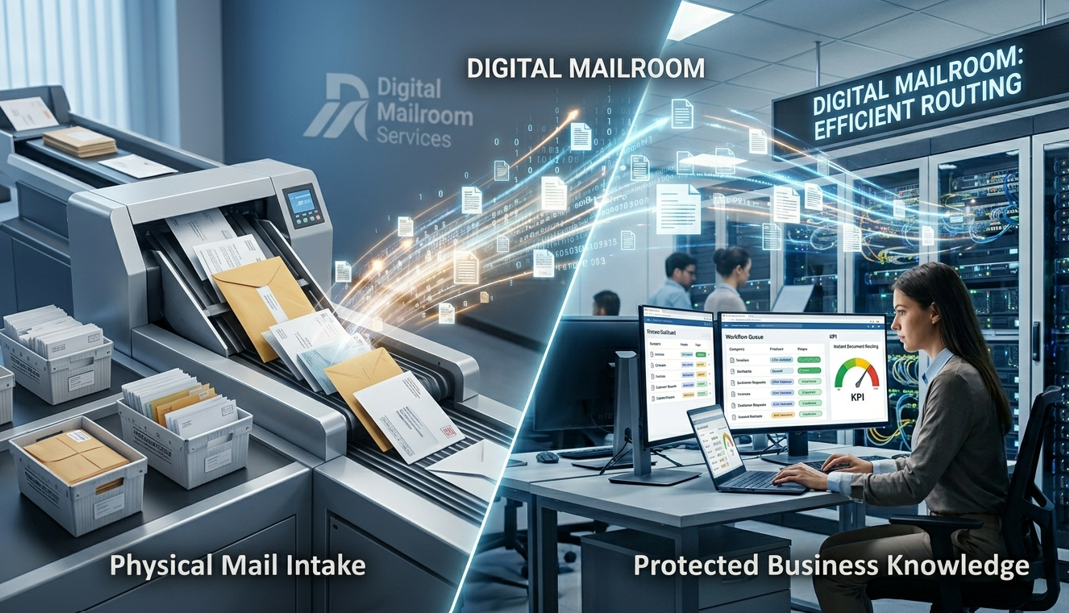
Paper mail, scanned forms, email attachments, vendor invoices, claims, contracts, and customer documents can slow teams down before real work even begins. Digital Mailroom Services help businesses capture incoming documents, classify them, route them to the right people, and turn scattered files into cleaner workflows. This matters because USPS reported 112.5 billion pieces of mail volume in 2024, while AIIM reported in 2025 that 61% of intelligent document processing workflows still include paper documents and 48% expect paper volumes to increase. Paper is not dead. It is just better at hiding inside modern workflows.
Why Slow Document Intake Hurts Response Times
Most response delays start at the intake stage. A document arrives, but nobody knows who should process it. An invoice sits in a shared inbox. A signed customer form waits in a scanner folder. A legal notice lands in the wrong department. A claim file gets forwarded through three people before anyone takes action.
That is how small delays become bigger operational problems. Finance teams wait for invoice approvals. HR teams wait for completed employee forms. Insurance teams wait for claim documents to be reviewed. Customer service teams wait for the right attachment before responding. Legal teams wait for contracts, notices, or supporting records.
The issue is not always workload. Often, it is poor routing and weak visibility. Teams spend time searching, forwarding, naming, checking, and confirming documents instead of acting on them. McKinsey found that interaction workers spent an estimated 28% of the workweek managing email and nearly 20% looking for internal information or tracking down colleagues. That is a clear sign that document chaos quietly burns response time.
A digital mailroom reduces this drag by creating a cleaner front door for incoming records. Instead of letting documents scatter across desks, inboxes, folders, and scanners, the process captures them early and sends them into a structured workflow.
How Digital Mailroom Services Clean Up Workflows
Digital Mailroom Services do more than scan paper. Scanning creates a digital image. A proper digital mailroom creates usable business information.
Incoming documents can be captured from physical mail, email attachments, portals, scanners, shared folders, and forms. Then they can be classified by type, indexed with metadata, and routed to the correct department. An invoice can go to finance. A contract can go to legal. A customer form can go to support. A claim document can go to the right case file.
Metadata makes the workflow cleaner. A document can be tagged by vendor name, customer name, invoice number, date, department, case number, document type, or status. This helps teams search by useful details instead of guessing file names.
For example, a finance team should not need to dig through inboxes to find a vendor invoice. The document should be captured, labeled, routed, and ready for review. A customer service team should not wait on someone to forward a signed form. The file should already be attached to the correct record. That is the difference between a workflow and a scavenger hunt.
Cleaner workflows also reduce duplicate handling. When documents are captured properly the first time, fewer people need to rename, resend, re-upload, or re-check the same file. That means fewer missed tasks, fewer version problems, and fewer “who has this document?” conversations.
Faster Routing Creates Better Accountability
Manual routing depends on memory. Someone has to remember where a file should go, who needs to approve it, and what happens next. That works when volume is low. It falls apart when teams deal with hundreds or thousands of documents.
A digital mailroom creates accountability by giving each document a path. Teams can see when a document arrived, where it was routed, who reviewed it, and whether action is complete. Managers can spot delays before they turn into bigger issues.
This matters for document-heavy departments. Finance can move invoices through approval faster. HR can process onboarding documents with fewer missing steps. Legal can review contracts and notices without waiting for forwarded attachments. Operations can connect permits, inspection records, and vendor documents to the right workflow. Customer service can respond faster because the required file is no longer buried in someone’s inbox.
Digital Mailroom Services also support remote and hybrid teams. If paper has to sit in a physical tray before work starts, the process is already behind. Digitized intake lets approved users review documents from wherever they work, without waiting for physical handoffs.
Security Matters When Documents Move Faster
Faster document movement needs strong control. Incoming business records often include sensitive information: bank details, employee data, client records, contracts, tax forms, insurance files, legal notices, and personal information.
IBM reported that the global average cost of a data breach was USD 4.44 million in 2025. That number makes loose document handling hard to ignore. If sensitive files move through open inboxes, shared folders, and unmanaged links, the business carries avoidable risk.
A strong digital mailroom should include role-based access, encryption, audit trails, retention rules, and controlled routing. The right people should see the right documents. Everyone else should stay out. Simple principle, big impact.
Security also helps compliance. If a company needs to prove when a document arrived, who reviewed it, and where it was stored, a controlled workflow gives stronger evidence than scattered email forwarding.
Conclusion
Slow response times often begin with messy document intake. Paper, email attachments, scanned files, and shared folders create delays when they are not captured, routed, and tracked properly.
Digital Mailroom Services help businesses improve response times by turning incoming documents into searchable, organized, and routed records. They reduce manual sorting, improve visibility, protect sensitive files, and help teams act faster. For companies buried in paper and attachments, the fix is not more follow-up messages. It is a cleaner intake process that keeps work moving from the moment a document arrives.

 Arabic
 French
 Spanish
 Portuguese
 Deutsch
 Turkish
 Dutch
Dutch
 Italiano
 Russian
 Romaian
 Portuguese (Brazil)
 Greek
Greek
 Bengali