


From Admission to Alumni: How a Connected Digital School Can Improve Everyday School Operations
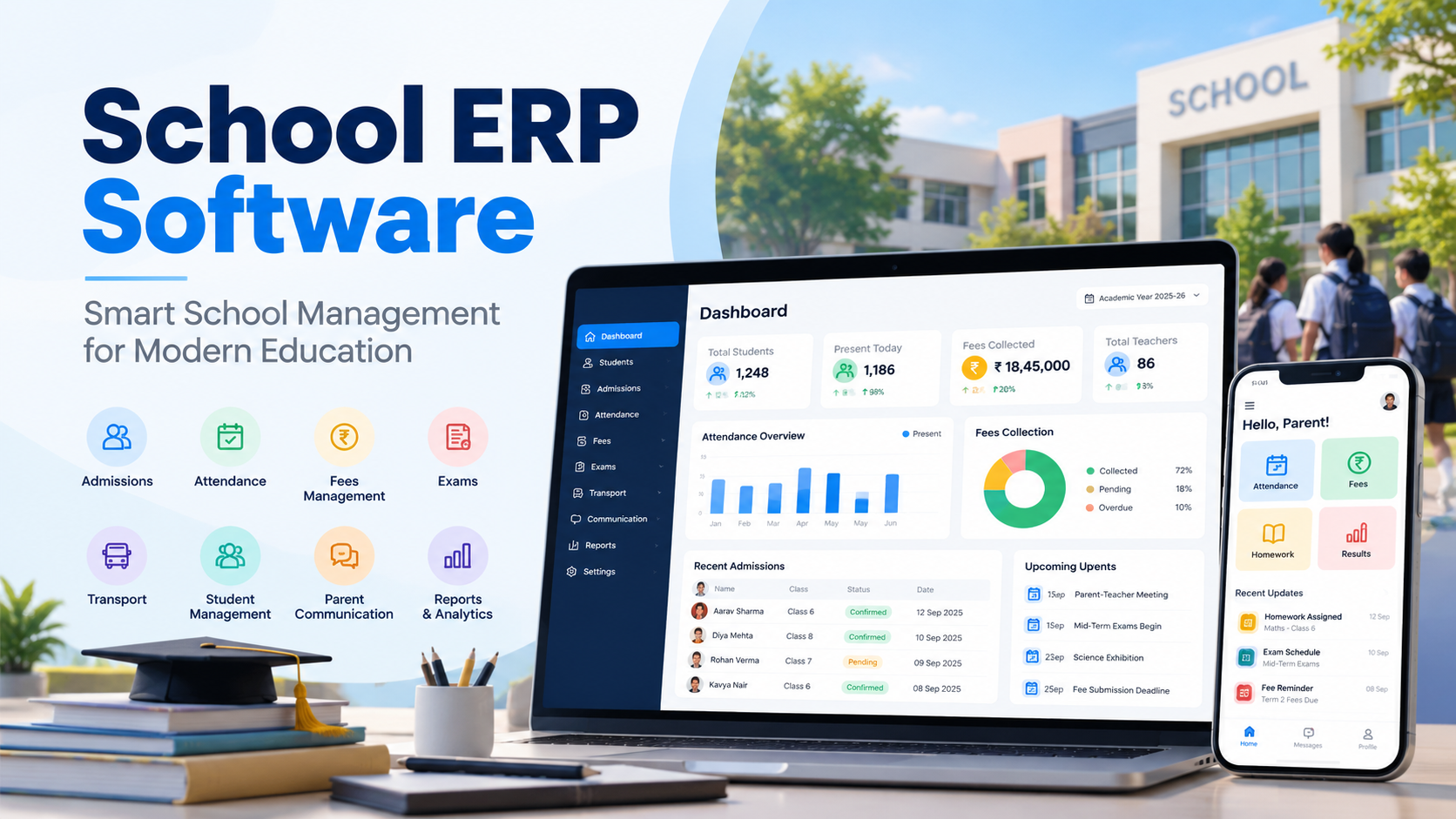
From the gate, the school looks simple. Children come in, teachers teach, exams happen, parents get a note in the diary. What nobody sees is the coordination running underneath all of it, every single day.
An enquiry has to be followed up before the family goes elsewhere. Documents need filing. Attendance gets marked. Fees get collected and then, painfully, reconciled. Teachers want marks entered. Parents want updates. Management wants a report by Friday.
When each of those jobs lives in its own register, spreadsheet or WhatsApp group, the school keeps running, but nobody has the full picture, and simple questions take a long time to answer.
The fix isn't more software. Most schools already have too many disconnected tools. The real opportunity is a connected digital school, where processes talk to each other and information moves between departments without being retyped. That's what modern school technology is actually for.
What Does a Connected Digital School Mean?
It doesn't mean a school with computers. Plenty of schools have computers and still run on paper.
A connected digital school is one where the processes are linked. Follow one child to see what that means in practice.
A student joins in Class 5. Admissions collects the family's details, and that becomes the student's central record. The academic office uses that record to place the child in a section. The class teacher marks attendance against it. Accounts raises fees against it. Parents get notifications from it. When the student moves up a class, sits exams, changes bus route or eventually leaves, the history keeps building on the same profile.
One record, every department. That's the difference, and it's the main reason schools look at Education ERP Software instead of adding one more standalone app to the pile.
Why Disconnected School Processes Create Problems
Picture the front office at 11 am. A parent calls about outstanding fees.
The administrator opens the fee spreadsheet. The payment entry is in a different file. The receipt is in a folder somewhere. The child's current section is on a list maintained by another department. Five minutes later the parent has an answer, and the administrator has lost ten.
None of those systems are wrong. They just don't know about each other. Multiply that call by every parent, every day, and disconnected processes cost you:
-
The same details entered three or four times
-
Duplicate student records nobody can reconcile
-
Minutes lost finding information that should take seconds
-
Reports that take days because someone has to compile them by hand
-
Manual fee reconciliation every month
-
Parents who miss updates because the school used the wrong channel
-
Staff who carry the only working knowledge of how a spreadsheet is set up
A connected platform gives every authorised user the same structured information. That alone removes most of the friction.
The Student Record Should Be the Center of the System
If you remember one thing from this piece, make it this: build everything around the student record.
A student's information shouldn't exist as scattered fragments. A centralized Student Management Software in India solution pulls the whole journey into one profile: personal details, parent and guardian information, admission data, academic history, attendance, fee records, exam results, transport allocation, documents and the communication log.
The benefit is obvious once you have it. Every department works from one consistent source instead of maintaining its own version of the same child. When a student moves from Class 6 to Class 7, nobody creates a new profile. The record carries forward, and so does the history.
Admissions Can Become More Organized
A family's first real experience of your school is usually the admission process. It's also one of the leakiest processes most schools run.
Enquiry registers, paper forms, phone calls, a spreadsheet, a follow-up list on someone's desk. In a quiet month it works. In peak season, enquiries slip through, and a family that was ready to enrol goes to the school that called back.
A digital admission workflow tracks each enquiry from source to outcome: student and parent details, class preference, counselling status, application submitted, documents verified, admission confirmed. At any point, the admissions team can see exactly where every family stands.
Your stages might differ. The principle doesn't: structure the information, and the follow-ups stop depending on memory.
Attendance Is More Than Marking Present or Absent
Attendance gets treated as a chore. It's actually one of the most useful datasets a school has, if it's captured somewhere it can be used.
With a digital system, the teacher marks the class, the record updates against each student, and everything downstream happens on its own: absence alerts to parents that morning, monthly percentages without a calculator, and patterns surfacing that a register would hide. A child who's absent every Monday, or a section whose attendance drops in the last week of the month, becomes visible.
For schools that want to remove the marking step entirely, biometric and RFID capture are options. Either way, technology isn't replacing the teacher's judgement. It's removing the admin around it.
Making Fee Management Easier to Track
Fees are where disconnected processes hurt most, because the details are so varied: class-wise structures, term or monthly schedules, sibling concessions, transport slabs, late fines, cash, cheque, UPI, card.
Kept manually, that's a spreadsheet only one person understands. In a connected system, the fee structure is set once, applied per student, and every payment lands against the right profile with a receipt generated automatically. Add online payment and parents pay from their phone while the ledger updates itself.
Parents get clarity on what's paid and what's due. The accounts team gets a defaulter list in one click instead of a week of cross-checking. The point isn't online payment for its own sake. It's a financial record you can trust, tied to the student.
Connecting Academics With Administration
Academics and administration are usually run as separate worlds, but they rely on the same student data: classes, subjects, teachers, timetables, exam schedules, marks, grades, report cards.
A proper School ERP Software platform puts them in the same environment. Exams are scheduled against class records. Teachers enter marks directly against students. Report cards generated in the school's own format. Parents see results through the same channel they use for everything else.
No more emailing spreadsheets between the exam cell and the office, and no more report-card season that eats three weeks.
Bringing Learning and Administration Closer Together
An ERP runs the office. An LMS runs the classroom: assignments, learning material, assessments, online lessons. Different jobs, often different vendors, and usually two separate student lists that drift apart.
A School ERP & LMS Software approach connects the two, so a student added at admission appears in the LMS class automatically, and parents get attendance, fees and homework from one login rather than three.
One caution. "Integrated" on a brochure doesn't mean integrated in practice. Ask the vendor to show the handoff live.
The Mobile Experience Is Becoming Part of School Communication
Parents don't sit at a desktop waiting for school updates. Their phone is the school's front door.
A school mobile application puts attendance, fee dues, notices, exam updates, homework, events and messages where parents already are. For teachers, it means attendance and homework from the classroom, not the staff-room PC.
When you're evaluating the Best School Mobile App in India, the feature count is the least useful number. Test instead whether a parent can find what they need without help, whether a teacher can do routine tasks without training, whether notifications are worth reading, and whether the app is drawing from the same system the office uses or is a separate island with its own data.
If the app makes contacting the school harder than a phone call, it has failed. Our comparison of school apps and WhatsApp groups covers what "easier" actually looks like.
RFID Can Add Another Layer of Digital Tracking
Student safety and campus movement are questions every school gets from parents. RFID answers some of them.
An RFID School Management System ties a card to the student's profile. Tap at the gate, on the bus or in the library, and the event is logged and, where the school chooses, pushed to the parent as a notification. Combined with GPS tracking, parents can see the bus and know their child boarded it.
Before buying readers and cards, think past the hardware: where it will be used, how accurate it needs to be, how the readers connect to the software, what happens when a card is lost, who can see the data and how it's protected. Our guide to RFID attendance costs and setup walks through all of it. Adopt it because it solves a defined need, not because a vendor offered it.
Why School Management Needs Better Reporting
A principal who wants to see attendance trends, fee collection, admission enquiries, exam performance, student strength and transport usage shouldn't need to ask six people and wait a week.
Centralised School Management Software turns those into reports that already exist because the data is already in one place. That changes what reporting means. Instead of spending most of the time collecting information, leadership spends it interpreting.
If absenteeism spikes in one section, the report shows it and the school can find out why. The software doesn't decide anything. It just makes the relevant facts easy to see.
What Should Schools Look for Before Choosing a Platform?
Start with your operations, not the demo. Then check the platform against these:
1. Core modules. Does it cover what you actually do: admissions, student records, attendance, fees, exams, timetable, communication, transport, library, HR, LMS?
2. Ease of use. Powerfulness is useless if teachers avoid it. Put staff in the demo.
3. Data migration. You have years of records. Ask exactly how they move across, and read our guide on switching without losing history.
4. Mobile access. Test it as a parent, a teacher and an administrator.
5. Reporting. Do the reports match what management asks for now?
6. Support and training. Installation is day one. Who trains staff, and who answers the phone in month three?
7. Scalability. The 400-student school today may be a two-campus group in five years. Will the platform keep up?
And on all of it, know the full cost, not just the licence.
Understanding the Difference Between Features and Real Value
Two systems. System A has 100 features, but teachers find the attendance module clumsy. System B has 30, and your staff use every core module confidently from week one.
For your school, B wins. Every time.
That's why schools hunting for the Best School ERP Software should evaluate workflows, not feature lists. The question isn't "how much can it do?" It's "does it solve our problems, and will our people use it?"
Building a Digital Roadmap Instead of Changing Everything at Once
You don't have to digitise the whole school in one term. A phased rollout is usually easier on staff and on the budget.
Phase 1: Core records. Student information, admissions, classes, staff data. Get the foundation right.
Phase 2: Daily operations. Attendance, fees, timetable, parent communication. This is where staff feel the benefit.
Phase 3: Academics. Examinations, results, assignments, learning resources.
Phase 4: Advanced services. RFID, transport tracking, analytics, deeper mobile services and integrations.
Each phase teaches you something before you commit to the next.
What Makes a Digital School Sustainable?
Go-live isn't the finish line. What keeps a digital school working is staff training, clear processes, data standards, sensible user permissions, periodic reviews, responsive support and management that stays involved.
The same applies to any School Management Software in India. The platform is one part of the change. People and processes are the rest. Buy the best system on the market and let staff keep parallel spreadsheets "just in case," and you'll get a fraction of the value you paid for.
A Practical Way to Evaluate Education Technology
Before any demo, answer seven questions on one page:
What problem are we solving? Which department owns it? What information is needed? Who will use the system? What should happen after data is entered? What report or outcome do we expect? How will we know it worked?
That reframes the decision from "which software should we buy?" to "which operational problems should technology solve?" It's a far better place to start, and it makes every vendor conversation shorter.
Creating a More Connected School Experience
Zoom out and the picture is simple. A student enters through admissions. Their profile is created. Attendance, marks, fees, transport, learning resources and every parent message attached to it. Year after year, the school builds a complete, structured history of that child, right through to alumni.
That's the real job of the Best School ERP Software in India: not replacing registers, but giving the school an organised digital backbone that every department stands on.
Conclusion
The future of school management won't come down to one feature or one app. It'll come down to how well the pieces work together.
Admissions, records, attendance, fees, academics, communication, learning and campus services all shape the experience families have with your school. The right technology brings them into one environment. The right process makes sure people actually use it.
So don't buy on feature count. Start with your problems, involve the staff who'll live in the system daily, and judge platforms on how well they fit the way your school already works. The goal isn't a school that depends on technology. It's teachers, administrators, parents and students spending less time on admin and more on education.
If you'd like to see how OneFlawless connects the student journey from enquiry to alumni, book a free demo and we'll walk through it using your own workflows.

 English
 French
 Spanish
 Portuguese
 Deutsch
 Turkish
 Dutch
Dutch
 Italiano
 Russian
 Romaian
 Portuguese (Brazil)
 Greek
Greek
 Bengali