


How to Build a Golf Course Finder App with Location-Based Search
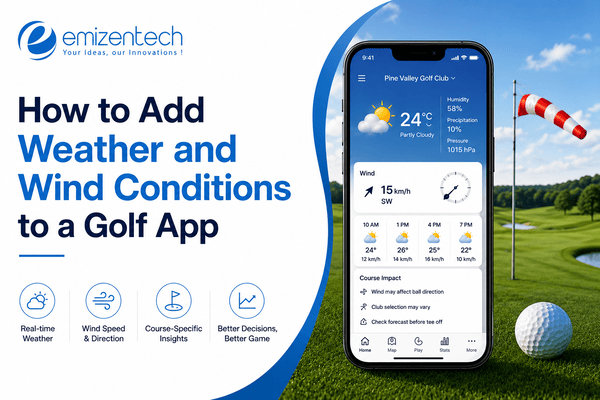
Golf has quietly become one of the most travel-friendly sports in the world. Players don't just stick to their home course; they look for new ones while traveling, meeting friends, or simply exploring options nearby. This shift in behavior has created steady demand for apps that can instantly show golfers what's around them, how good it is, and whether they can book a tee time on the spot. Building such an app involves more than plotting pins on a map. It requires accurate location data, smart search logic, and a smooth user experience that works reliably in real time. This guide walks through what such an app needs, the technology behind it, and how the entire development process comes together.
What Is a Golf Course Finder App?
A golf course finder app is a mobile or web application that helps users discover golf courses near their current location or a chosen destination. Instead of manually searching online or relying on word of mouth, users open the app, and it shows nearby courses ranked by distance, ratings, or price. Many apps go a step further by including details like course difficulty, amenities, weather conditions, and availability for booking. For frequent travelers or golf enthusiasts visiting new cities, this kind of app removes the guesswork. It turns a scattered search process into a single, quick action, making it easier to plan a round of golf without prior research.
Key Features of a Golf Course Finder App
A well-built app balances simplicity with useful depth, giving users just enough information to make quick decisions without overwhelming them.
-
Location-based search: Automatically detects the user's location and displays nearby courses on a map.
-
Advanced filters: Lets users narrow results by price range, course difficulty, number of holes, or facilities like driving ranges and pro shops.
-
Course details page: Shows photos, layout information, operating hours, and contact details for each course.
-
Ratings and reviews: Allows users to read feedback from other golfers and leave their own experiences.
-
Tee time booking: Enables direct reservation of playing slots without needing to call the course.
-
User profiles: Stores saved courses, booking history, and personal preferences for quicker future searches.
-
Push notifications: Alerts users about discounts, weather changes, or last-minute tee time openings.
-
Offline access: Keeps basic course information available even without an active internet connection, useful in remote areas.
Tech Stack for Building a Location-Based Golf App
Choosing the right technology stack directly affects how well the app performs, especially when handling live location data and search queries.
-
Frontend frameworks: React Native or Flutter are commonly used since they allow a single codebase to run on both iOS and Android, reducing development time.
-
Backend frameworks: Node.js or Django handle server-side logic, user authentication, and API requests efficiently.
-
Database: PostgreSQL with the PostGIS extension is a popular choice for storing and querying geospatial data, while MongoDB is often used when flexibility in data structure is needed.
-
Maps and geolocation APIs: Google Maps Platform or Mapbox provide the mapping interface, distance calculations, and location markers.
-
Cloud hosting: Services like AWS or Google Cloud ensure the app can scale as the number of users and search requests grows.
-
Push notification services: Firebase Cloud Messaging is widely used to send timely alerts to users.
Each of these components needs to work together smoothly, since even a small delay in location detection or map rendering can affect how usable the app feels.
Step-by-Step Guide to Building the App
Building a golf course finder app follows a structured process, moving from research to a fully functional product ready for public use.
Market research and competitor analysis
Before writing any code, it helps to study existing apps like GolfNow or 18Birdies to understand what features users expect and where gaps exist. This step also clarifies the target audience, whether casual golfers, frequent travelers, or golf clubs looking for exposure.
Defining MVP features
Rather than building every feature at once, it's practical to launch with a minimum viable product that includes location search, course details, and basic filters, then expand based on user feedback.
Designing the user interface
Since the app is map-centric, the design should prioritize clear visuals, easy navigation, and quick access to search filters without cluttering the screen.
Setting up geolocation and search architecture
This involves configuring how the app detects user location and structures search queries to return relevant results quickly.
Integrating golf course data
Course information can come from third-party APIs, licensed datasets, or direct partnerships with golf clubs willing to share their details. Accurate data integration is an important part of golf app development, helping ensure reliable search results and course information.
Building search and filter logic
The backend needs to process location coordinates alongside filter criteria to return accurate, ranked results without noticeable lag.
Adding booking and payment functionality
If tee time reservations are part of the app, secure payment gateways and real-time availability syncing become necessary.
Testing across devices
Location accuracy can vary between devices and operating systems, so thorough testing helps catch inconsistencies before launch.
Many teams choose to work with established golf app development services during this phase, since experience with geospatial systems and booking integrations can help avoid common technical pitfalls.
How Location-Based Search Works
At its core, location-based search relies on a few interconnected technical processes working in sync.
-
Geolocation: Determines the user's current position using GPS, Wi-Fi signals, or cell tower data.
-
Geocoding and reverse geocoding: Converts addresses into coordinates and vice versa, allowing the app to interpret both user input and map data.
-
Radius-based queries: The backend searches the database for courses within a specified distance from the user's coordinates.
-
Geospatial indexing: Techniques like geohashing organize location data so searches return results faster, even with thousands of entries.
-
Real-time updates: The app continuously refines results as the user moves, without draining the device's battery excessively.
Together, these processes allow the app to feel instantaneous, even though a fair amount of calculation happens behind the scenes.
Monetization Strategies
There are several ways a golf course finder app can generate revenue while still offering value to users for free.
-
Freemium model: Basic search and course details remain free, while advanced features like detailed statistics or ad-free browsing require a subscription.
-
Booking commissions: The app earns a percentage from each tee time reservation made through the platform.
-
Sponsored listings: Golf courses can pay for better visibility in search results or featured placements.
-
In-app advertising: Displaying relevant ads, such as golf equipment brands, without disrupting the user experience.
The right combination often depends on the target audience and how much value users place on premium features.
Cost to Build a Golf Course Finder App
Development costs vary widely based on features, platform choice, and the complexity of location-based functionality.
-
MVP version: A basic app with search, filters, and course details typically costs less, since it avoids complex integrations like real-time booking.
-
Full-featured app: Including booking systems, payment gateways, and advanced personalization increases both development time and cost.
-
Platform considerations: Building for both iOS and Android simultaneously, versus a single platform first, also affects the budget.
-
Team and location factors: Rates differ based on whether development is outsourced, handled in-house, or split across regions with different cost structures.
Getting a detailed cost estimate usually requires outlining specific features and technical requirements upfront.
Conclusion
A golf course finder app brings together location technology, thoughtful design, and reliable data to solve a real problem for golfers on the move. From choosing the right tech stack to deciding how the app will generate revenue, each decision shapes how useful and successful the final product becomes. For teams looking to bring such an idea to life, companies like EmizenTech work on projects involving geolocation features and mobile app development, helping turn early concepts into functional, user-ready applications.
FAQs
1. How much does it cost to build a golf course finder app?
Costs vary based on features and platform, but a basic version with core search functionality generally costs less than a full-featured app with booking and payment integration.
2. What technology is used for location-based golf apps?
Most apps rely on GPS-based geolocation, mapping APIs like Google Maps or Mapbox, and geospatial databases such as PostgreSQL with PostGIS for efficient location searches.
3. How do golf apps find nearby courses?
They use the device's location data combined with radius-based search queries against a database of course locations to return nearby results ranked by distance or relevance.
4. Can tee time booking be integrated into the app?
Yes, booking functionality can be added by connecting the app to golf course scheduling systems and integrating secure payment processing.
5. How long does development take?
The timeline depends on scope, but a basic MVP might take a few months, while a fully featured app with booking and advanced filters can take significantly longer.

 English
 Arabic
 French
 Spanish
 Portuguese
 Deutsch
 Dutch
Dutch
 Italiano
 Russian
 Romaian
 Portuguese (Brazil)
 Greek
Greek
 Bengali