


Creative Ways to Use Unicode Text on Instagram
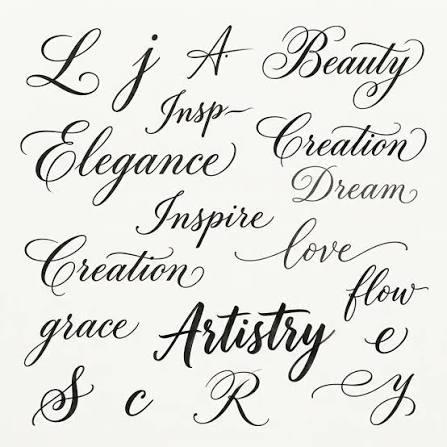
Instagram is a visual platform, but text plays an important role in making profiles and posts feel personal. From bios and captions to Stories and display names, creative text can help important words stand out. Unicode text offers a simple way to experiment with different lettering styles without needing advanced graphic design skills.
Cursive, bold, decorative, and other Unicode characters can add personality to everyday Instagram content. The key is using them thoughtfully so your profile remains attractive and easy to read.
What Is Unicode Text?
Unicode is a universal character system that allows computers and mobile devices to display letters, symbols, and characters from many writing systems. Some stylish text generators use Unicode characters to create text that looks different from standard lettering.
Because these characters are text rather than images, they can often be copied and pasted into supported social media fields. However, not every character is displayed identically on every device, so checking your finished text is always a good idea.
1. Create a Stylish Instagram Bio
Your bio is one of the easiest places to experiment with Unicode text. You can use a cursive style for your name, a bold style for a short heading, or decorative characters to separate different parts of your description.
For example, you might style your content category while keeping contact information and other important details in standard text. This creates a balance between creativity and readability.
2. Make Your Display Name Stand Out
A creative display name can give your profile a more distinctive appearance. Try using cursive or decorative Unicode characters for your name or nickname where Instagram supports them.
Keep the design simple enough that visitors can still recognize your name quickly. A stylish display name should enhance your identity rather than make it confusing.
3. Add Personality to Captions
Captions do not always have to use standard text. A short Unicode-styled phrase at the beginning can act as a visual heading.
For example, you could use cursive text for a short quote or bold-style characters for an announcement. Then continue with regular text for the main message.
This technique works particularly well for longer captions because the decorative opening gives readers a clear starting point.
4. Highlight Special Announcements
If you are sharing an important update, Unicode text can help draw attention to a short announcement. A stylish heading can make a new project, event, milestone, or personal update more noticeable.
Keep the decorative part short and explain the details using standard text. This keeps your announcement both attractive and informative.
5. Use Unicode Symbols as Separators
Unicode is not only useful for decorative letters. Symbols can also help organize your Instagram text.
Stars, dots, arrows, hearts, and other simple characters can separate interests or sections in a bio. They can also add visual breaks between short ideas in captions.
Avoid using too many symbols at once. A few carefully selected characters usually create a cleaner look.
6. Create a Personal Quote Style
If you regularly share quotes, you can develop a recognizable formatting style. Choose one cursive or decorative text style and use it for short quote headings.
This can become part of your personal visual identity. Followers may begin to associate the particular style with your content.
With cursivefont.io, you can experiment with different cursive and stylish text variations and compare them before deciding which one fits your profile.
7. Make Story Text More Creative
Instagram Stories provide another opportunity to experiment with text. You can use Unicode characters for short greetings, announcements, or personal messages.
Because Stories are highly visual, keep your text short and make sure it contrasts clearly with the background. Stylish characters should enhance the design rather than compete with the photo or video.
8. Create Stylish Content Categories
Creators can use Unicode text to label different types of content. For example, a lifestyle account could use short decorative headings for travel, food, books, or daily updates.
This can make captions easier to scan and give recurring content a recognizable format.
9. Combine Regular and Unicode Text
One of the most effective approaches is mixing standard text with stylish characters. Using decorative text for everything can make a post difficult to read, especially when the caption is long.
Instead, style only important phrases and leave the rest in regular lettering. This creates contrast and keeps your message accessible.
Check Compatibility Before Posting
Unicode characters can display differently depending on the device, operating system, or platform. Some decorative styles may also be difficult for screen readers or users to recognize.
After copying your text, check how it appears on your phone. If letters look strange or the wording becomes difficult to understand, choose a simpler style.
Experiment With Different Styles
There is no single Unicode style that works for every Instagram profile. Try different options based on your content and personality.
cursivefont.io can make this process easier by allowing you to explore different cursive and stylish text variations quickly. You can compare several versions before copying your preferred design.
Final Thoughts
Unicode text gives Instagram users a simple way to add creativity to profiles, captions, Stories, and other content. Cursive lettering, bold characters, decorative symbols, and mixed text styles can all make ordinary words more visually interesting.
The most important thing is balance. Choose styles that match your personality, keep important information readable, and use decorative text where it adds value. With thoughtful formatting, Unicode text can become a useful part of your Instagram style

 English
 Arabic
 French
 Spanish
 Portuguese
 Deutsch
 Turkish
 Italiano
 Russian
 Romaian
 Portuguese (Brazil)
 Greek
Greek
 Bengali