


How to Create Natural-Looking Independence Day Photos With AI in 2026
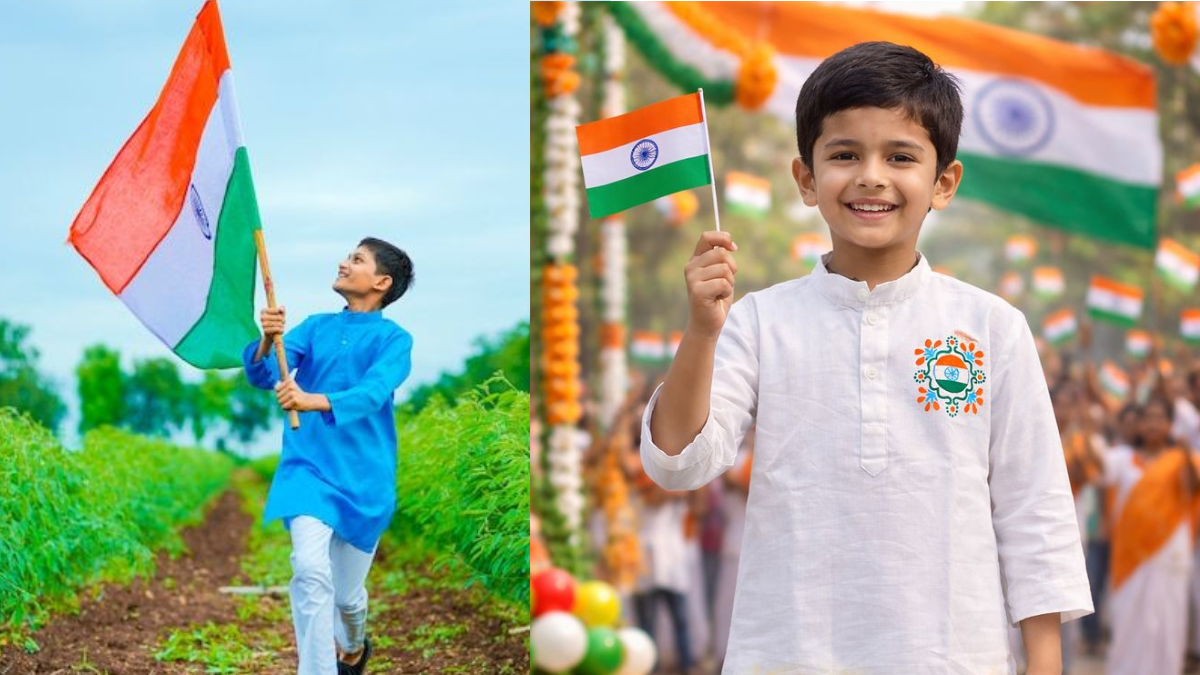
Independence Day is an ideal time to create fresh photographs for social media, family groups, and personal profiles. With 15 August 2026 approaching, AI-powered editing tools are giving users a simple way to transform ordinary photographs into personalized patriotic images.
The difference between a convincing AI edit and an obviously artificial image isn't always the editing tool. Often, it comes down to the instructions you provide.
A detailed prompt can tell the AI what to change, what to preserve, and how the final photograph should look.
Start With the Right Photograph
Before writing a prompt, choose a good reference photograph.
A clear image with visible facial features, reasonable lighting, and minimal blur generally gives an AI editor more information to work with. Avoid photographs with heavy filters or faces hidden by sunglasses, shadows, or other objects.
For portrait editing, it is also useful to tell the AI explicitly:
- Preserve the person's facial identity
- Keep natural skin texture
- Maintain realistic proportions
- Keep the original hairstyle
- Preserve clothing details
- Avoid changing the expression
These instructions can help prevent unnecessary changes.
Create a Subtle Tricolor Atmosphere
One of the easiest ways to create an Independence Day photograph is to introduce subtle saffron, white, and green tones into the background.
Instead of asking for a huge Indian flag covering the entire image, request a softly blurred background with natural tricolor accents.
For example:
Create a realistic Independence Day portrait for 15 August 2026. Preserve the person's facial identity, natural skin texture, expression and proportions. Add a subtle saffron, white and green background with soft natural lighting, realistic shadows and shallow depth of field. Keep the patriotic elements elegant and avoid excessive saturation or artificial effects.
The result should still resemble a photograph rather than a festival poster.
Try an Indian Landmark Theme
Another option is to place the subject near an iconic location such as India Gate or the Red Fort.
This style works especially well for full-body photographs because the AI has more space to construct the environment.
For a realistic result, mention:
- Accurate perspective
- Natural sunlight
- Consistent shadows
- Realistic distance between the subject and landmark
- Subtle patriotic decorations
- Natural skin texture
Avoid asking the AI to add too many objects at once. Crowded scenes are more likely to contain visual inconsistencies.
Experiment With Artistic Styles
Photorealistic images aren't the only option.
AI can also transform portraits into watercolor illustrations, pencil sketches, painted artwork, or other creative styles.
A watercolor Independence Day prompt could ask the AI to preserve the person's recognizable features while adding paper texture, natural brush strokes, and restrained saffron, white, and green colors.
This can work particularly well for digital greeting cards or creative social media posts.
Keep Minimal Designs in Mind
Sometimes less is more.
A clean portrait with a neutral background, subtle tricolor accents, and one Ashoka Chakra-inspired element can look more sophisticated than an image containing multiple flags, fireworks, slogans, and decorative graphics.
Minimal designs are also useful for profile pictures because the person's face remains the main focus.
Common AI Photo Editing Problems
AI-generated or AI-edited photographs should always be reviewed before being shared.
Some common problems include:
Plastic-looking skin: Excessive smoothing can remove natural facial texture.
Distorted facial features: Eyes, teeth, ears, or facial proportions may occasionally change.
Unnatural hands: Fingers and hands can sometimes appear distorted.
Incorrect lighting: The background may have a different light direction from the subject.
Oversaturated colors: Bright tricolor effects can make the photograph look artificial.
Excessive decorations: Too many patriotic elements can distract from the original photograph.
Poor text generation: AI tools can produce distorted letters or incorrect words.
If you need a specific Independence Day greeting, it may be easier to add the text after the image has been generated.
Five Simple Ways to Improve Your Results
1. Use a high-quality source image
A sharp photograph gives the AI more information about the subject.
2. Be specific about what should remain unchanged
Don't just ask for an Independence Day edit. Tell the tool to preserve facial identity, skin texture, hairstyle, clothing, and proportions.
3. Describe lighting
Mention whether you want natural daylight, warm evening light, soft studio lighting, or cinematic illumination.
4. Keep patriotic elements controlled
One or two strong visual elements are usually more effective than a crowded composition.
5. Inspect the final image
Zoom into the face, hands, clothing, shadows, and background before posting.
Explore More Independence Day AI Prompts
If you want to experiment with additional creative approaches, this collection of Independence Day AI photo editing prompts 2026 includes further ideas that can be adapted for different types of photographs and social media formats.
You don't have to copy a prompt exactly. Adjust the clothing, location, lighting, composition, and mood to match the photograph you're working with.
Final Thoughts
AI photo editing can make Independence Day content more personal without requiring advanced editing skills. The best results usually come from starting with a strong photograph, giving clear instructions, and avoiding unnecessary effects.
For 15 August 2026, experiment with different styles, but keep one principle in mind: the final photograph should still feel authentic.
A subtle patriotic background, realistic lighting, natural skin texture, and carefully chosen visual details can be enough to turn an ordinary portrait into a memorable Independence Day image.

 English
 Arabic
 French
 Spanish
 Portuguese
 Deutsch
 Turkish
 Dutch
Dutch
 Italiano
 Russian
 Romaian
 Portuguese (Brazil)
 Bengali